1. Login to the Loamy Dashboard.
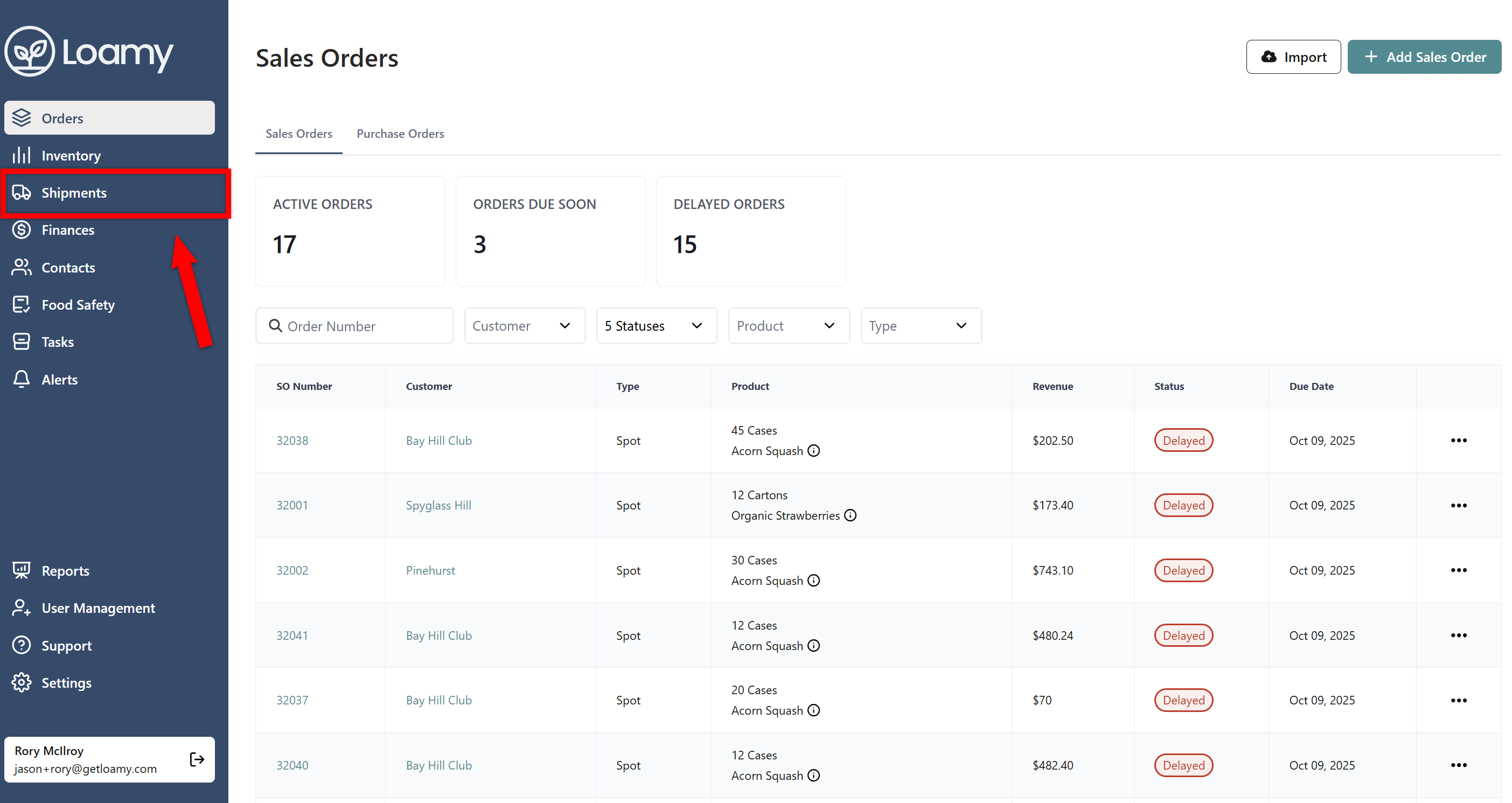
2. Go to the Shipments page by selecting it on the left-hand navigation menu.
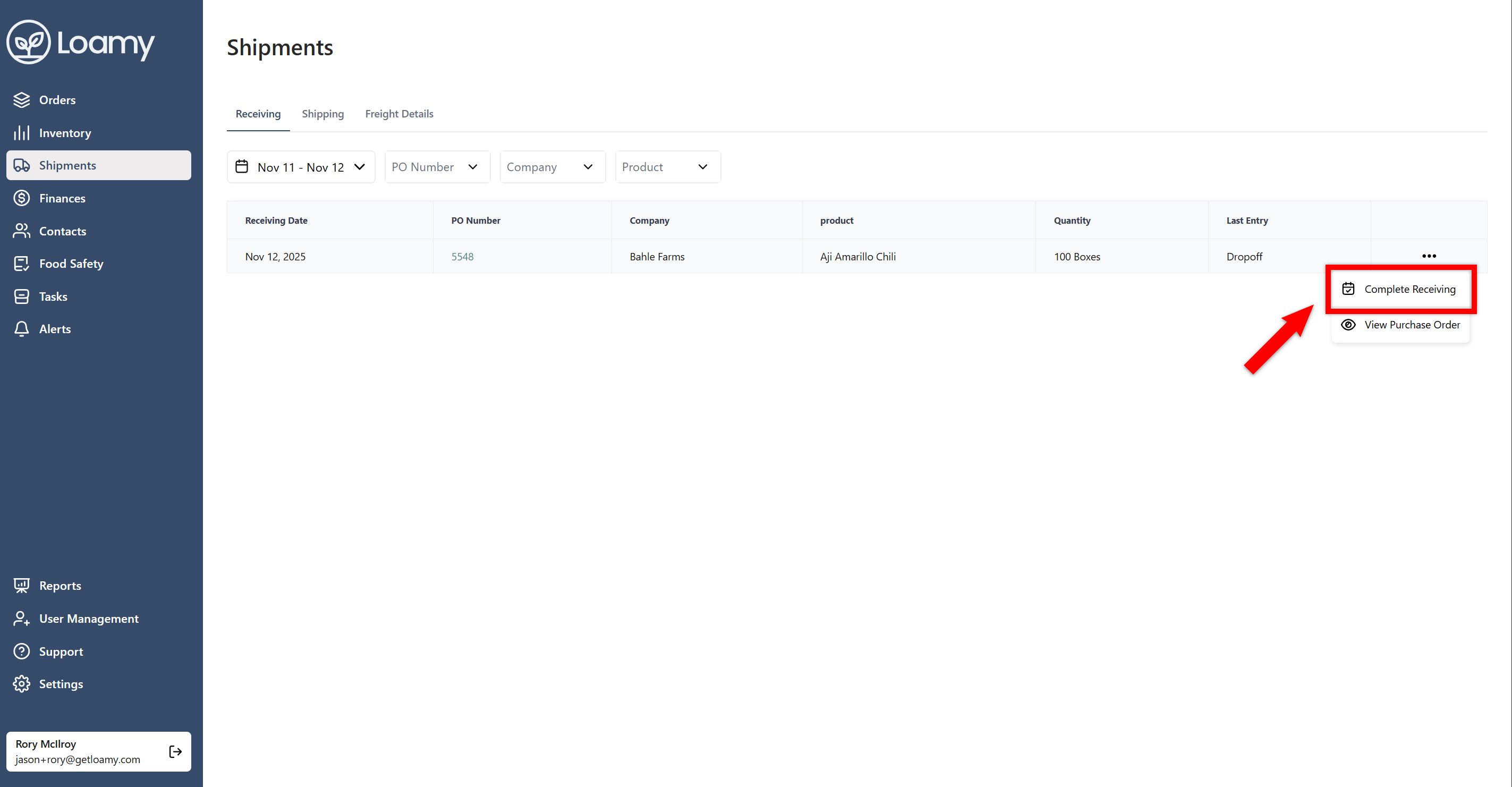
3. Select the three dots for the order you want to receive and select Complete Receiving. Note: If there are other events on the order that have not been completed yet such as Harvesting, you will need to complete that first.
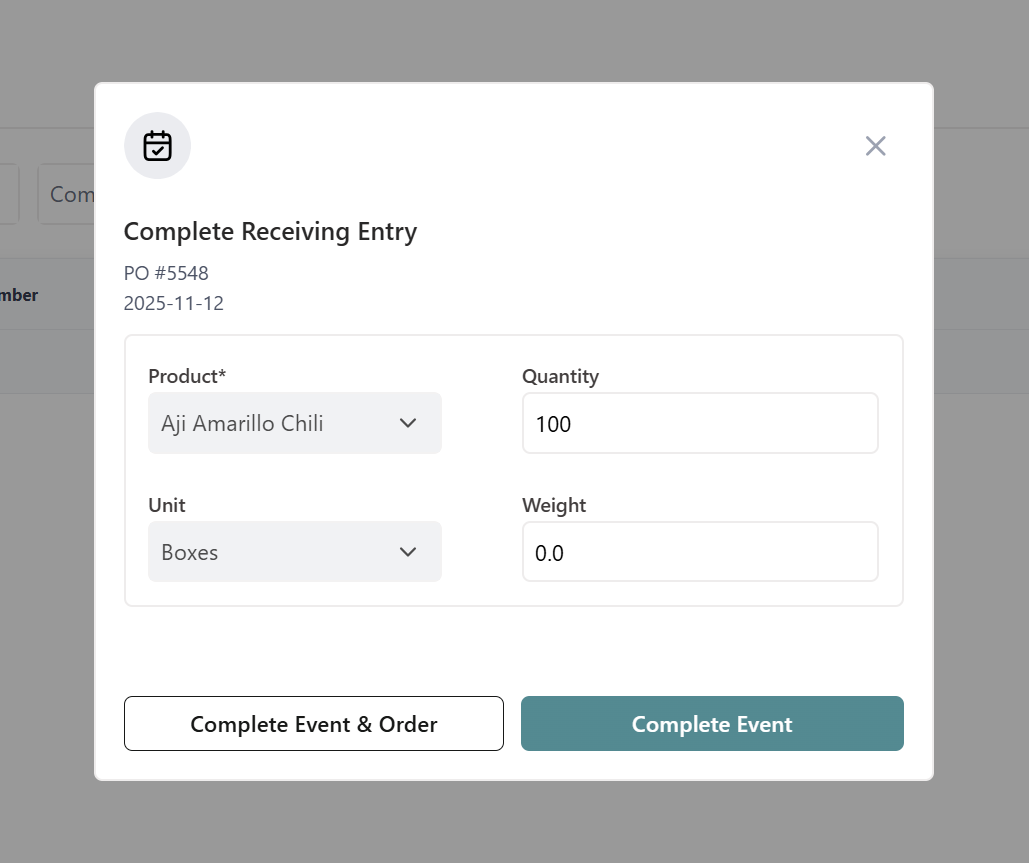
4. Confirm the quantity and weight of the product. You can then select Complete Event or Complete Event & Order if you wish to mark the purchase order as completed as well.