1. Login to the Loamy Dashboard.
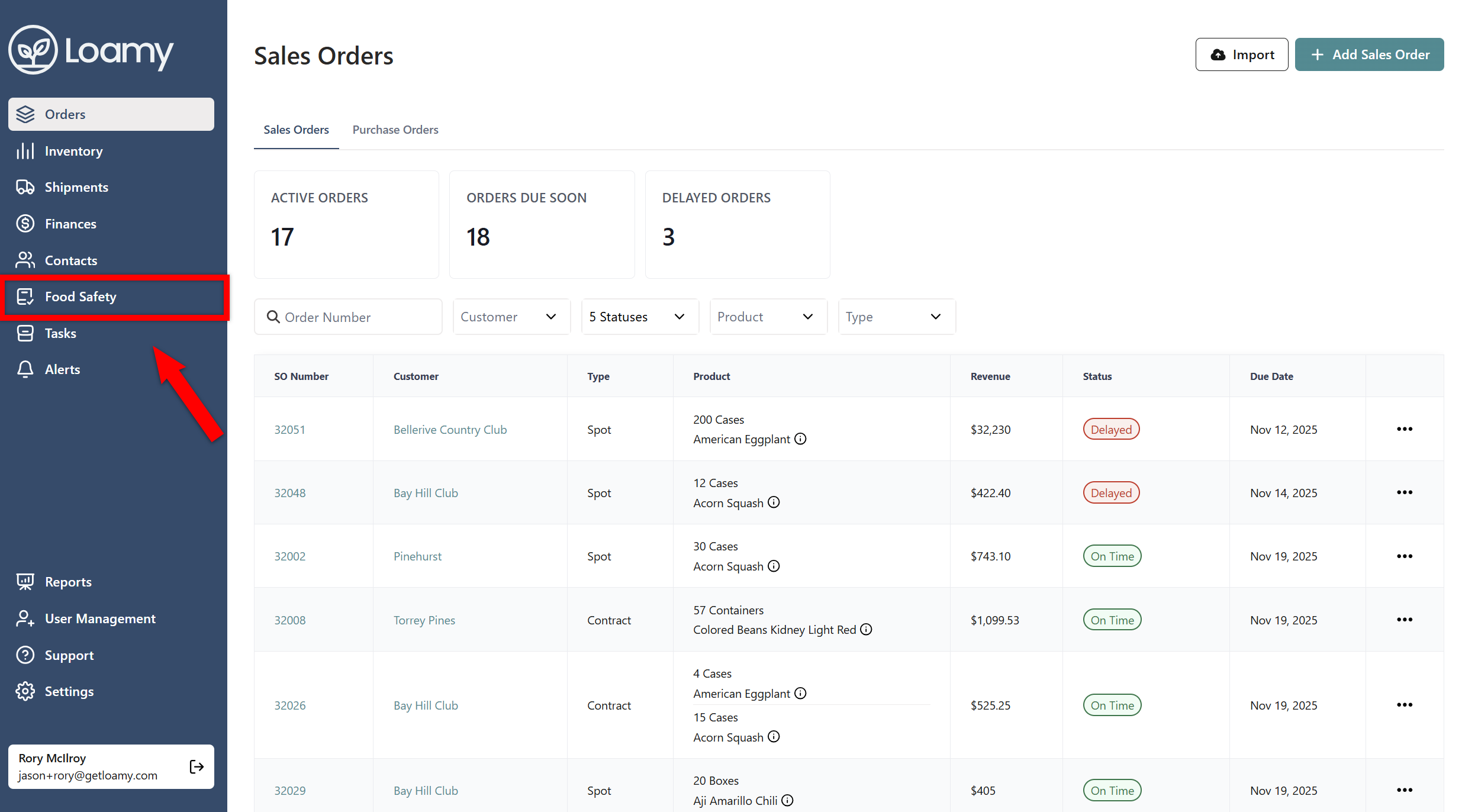
2. Go to the Food Safety page by selecting it on the left-hand navigation menu.
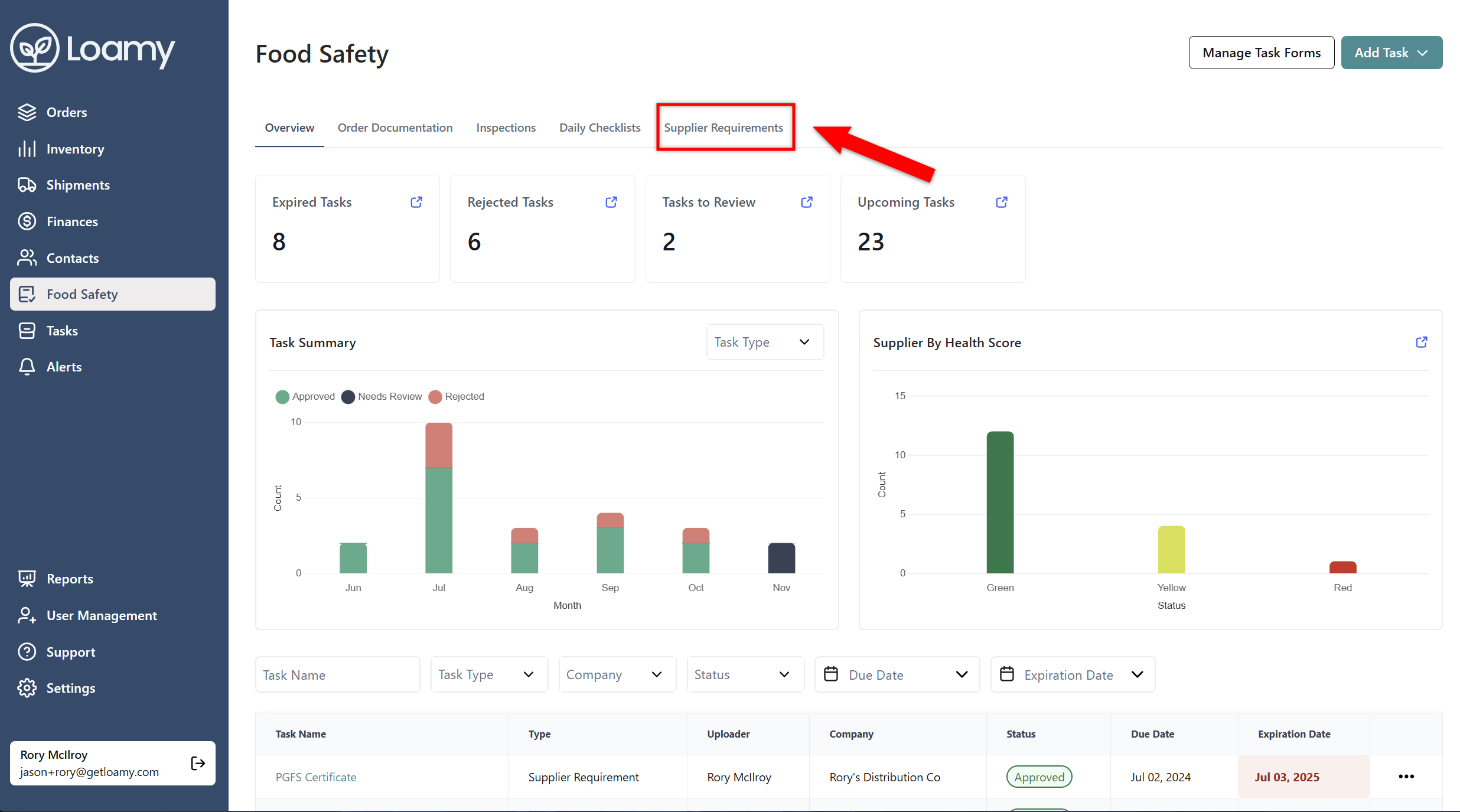
3. Select the Supplier Requirements tab.
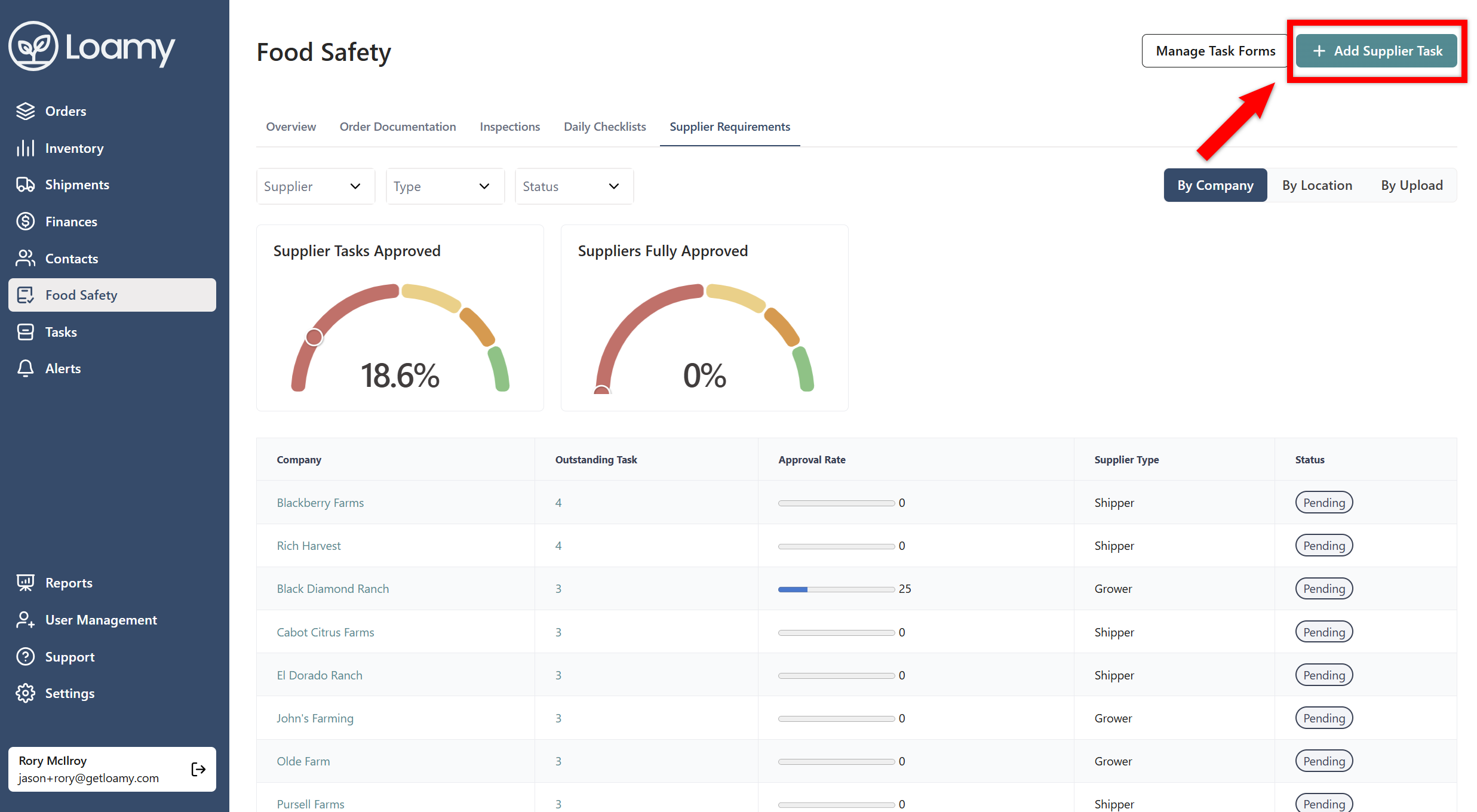
4. Select Add Supplier Task in the top right-hand corner.
5. Select the form you want, the name for the requirement, and who you wish to assign it to. You can assign a location or product to the requirement by selecting that as well.
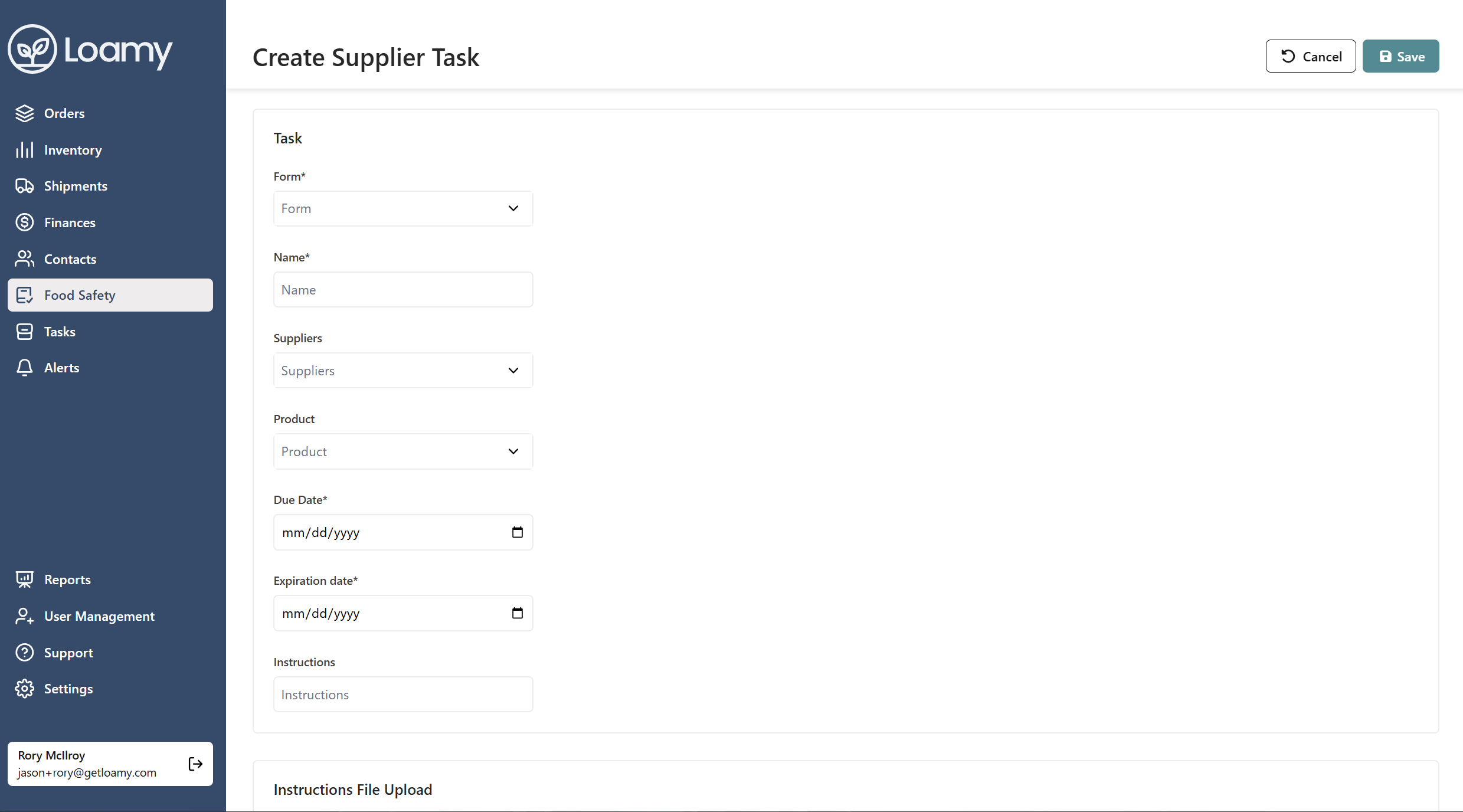
6. Hit Save.


