1. Login to the Loamy Dashboard.
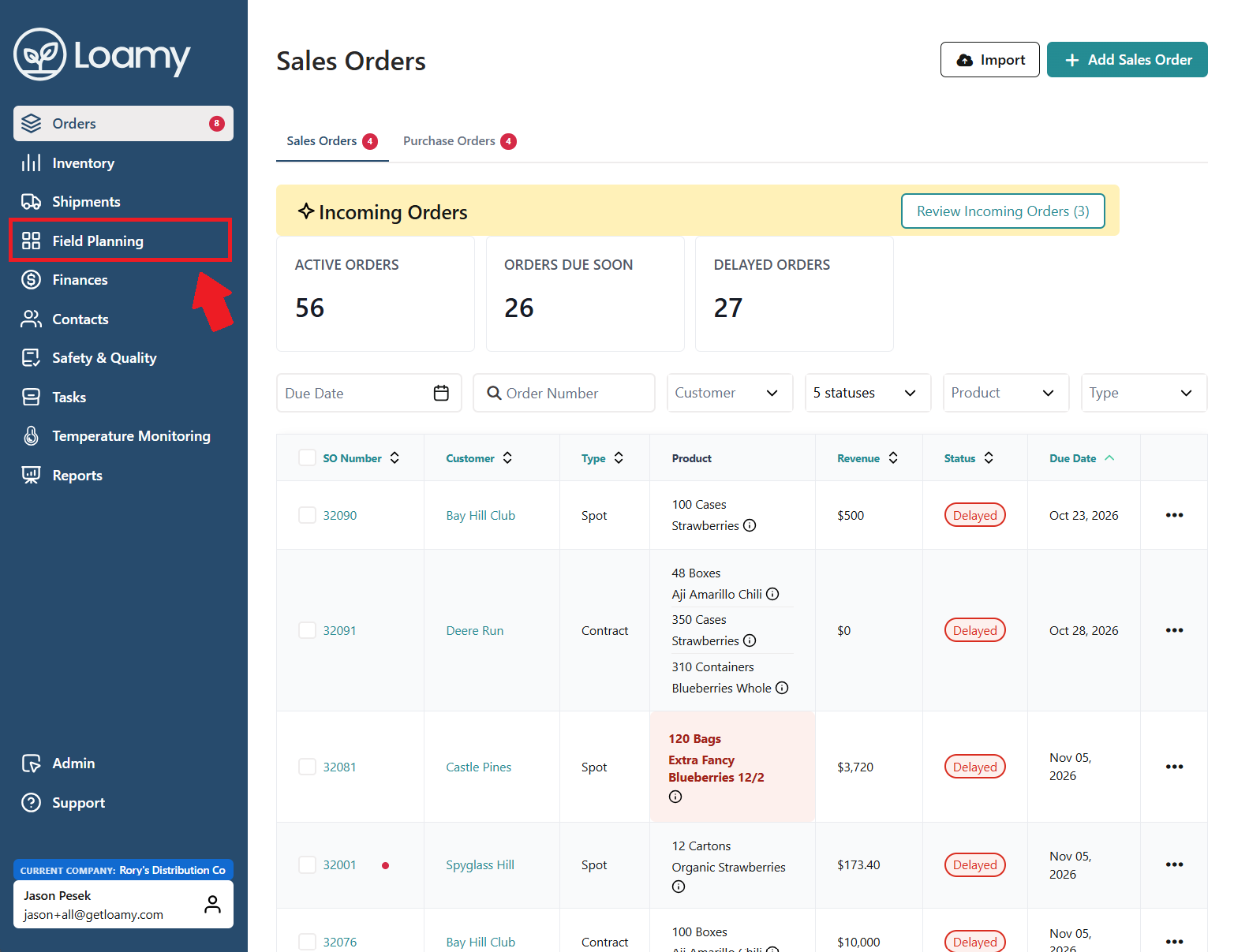
2. Go to the Field Planning page by selecting it on the left-hand navigation menu.
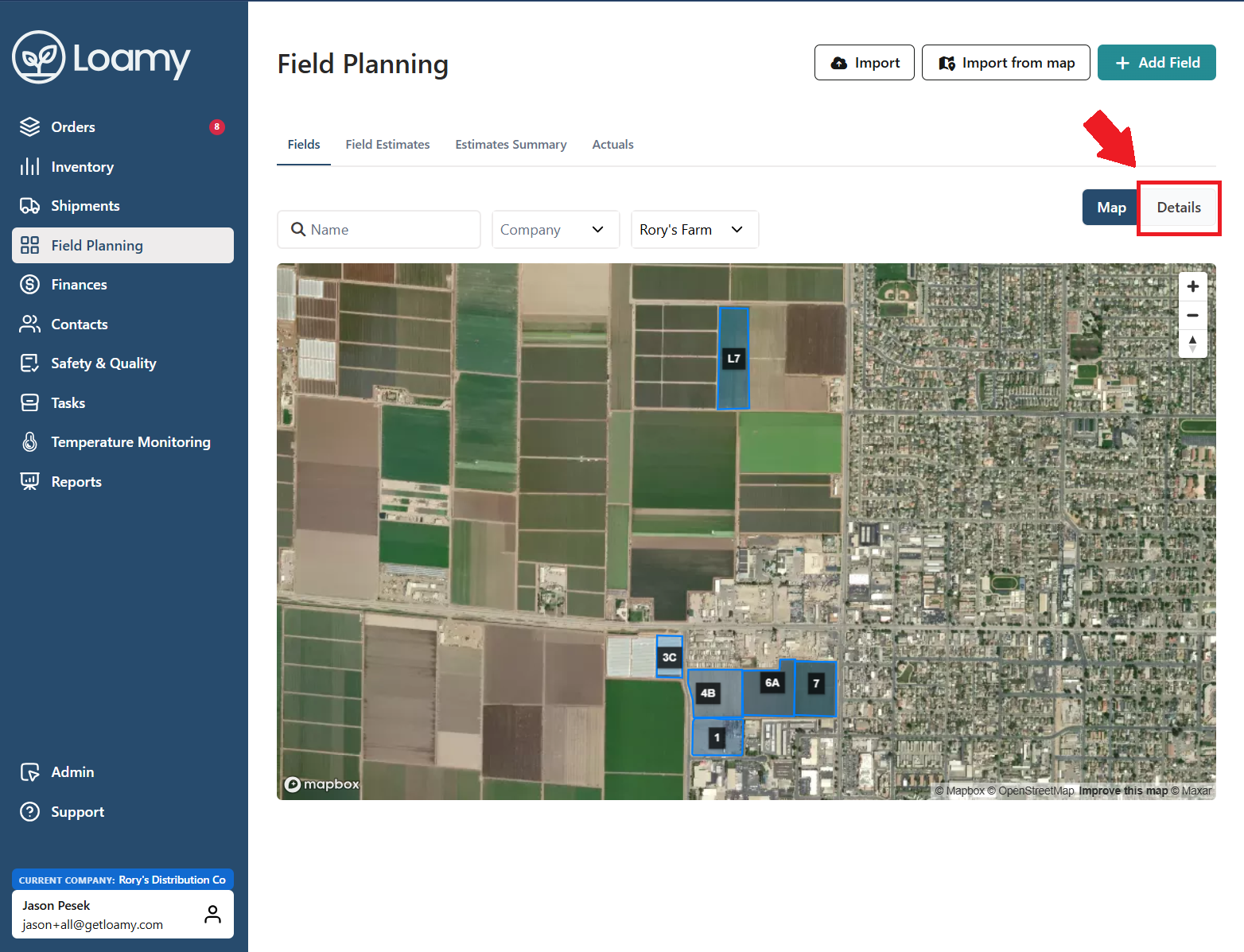
3. Select Details in the right side of the page and then choose which field you want to add a season for.
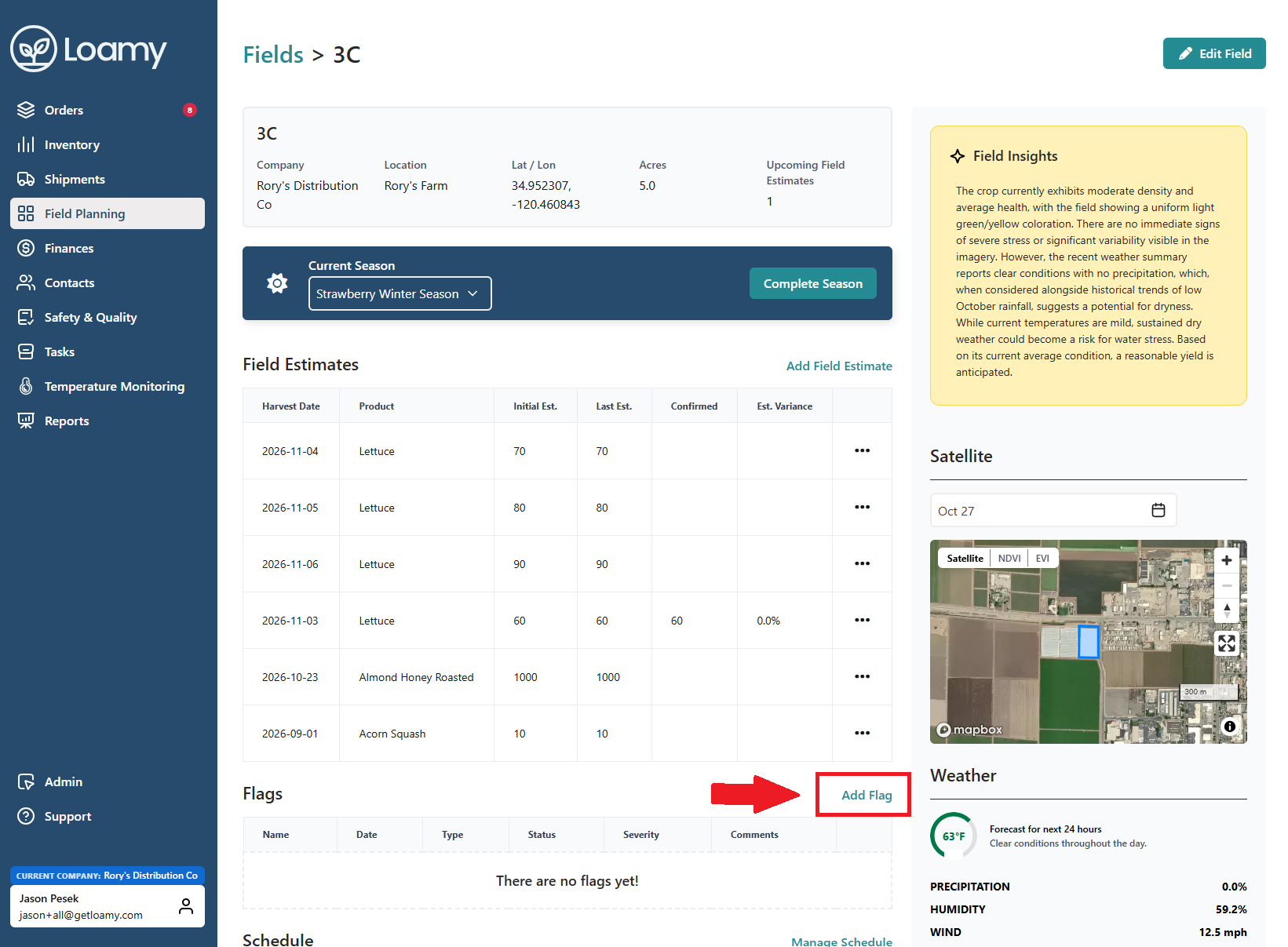
4. Select Add Flag next to the Flags table.
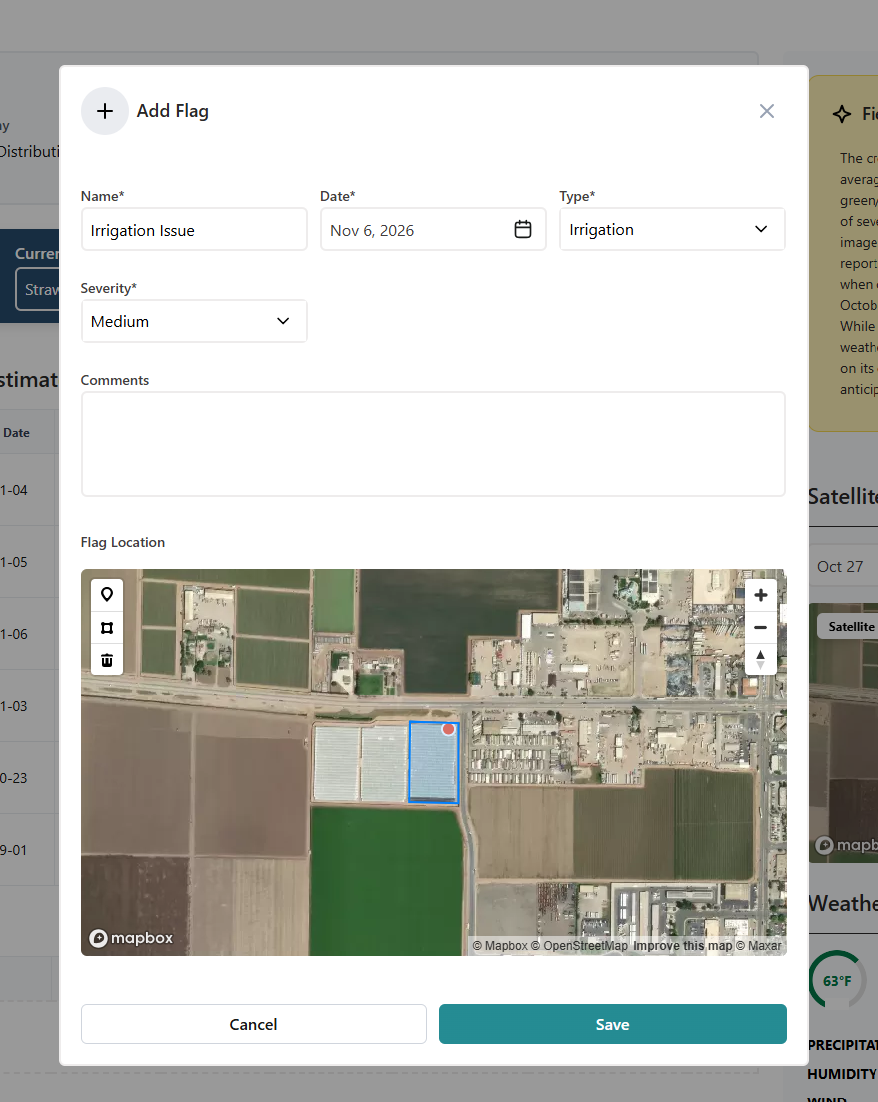
4. Complete the information and select a specific point on the map. Once complete, hit Save.
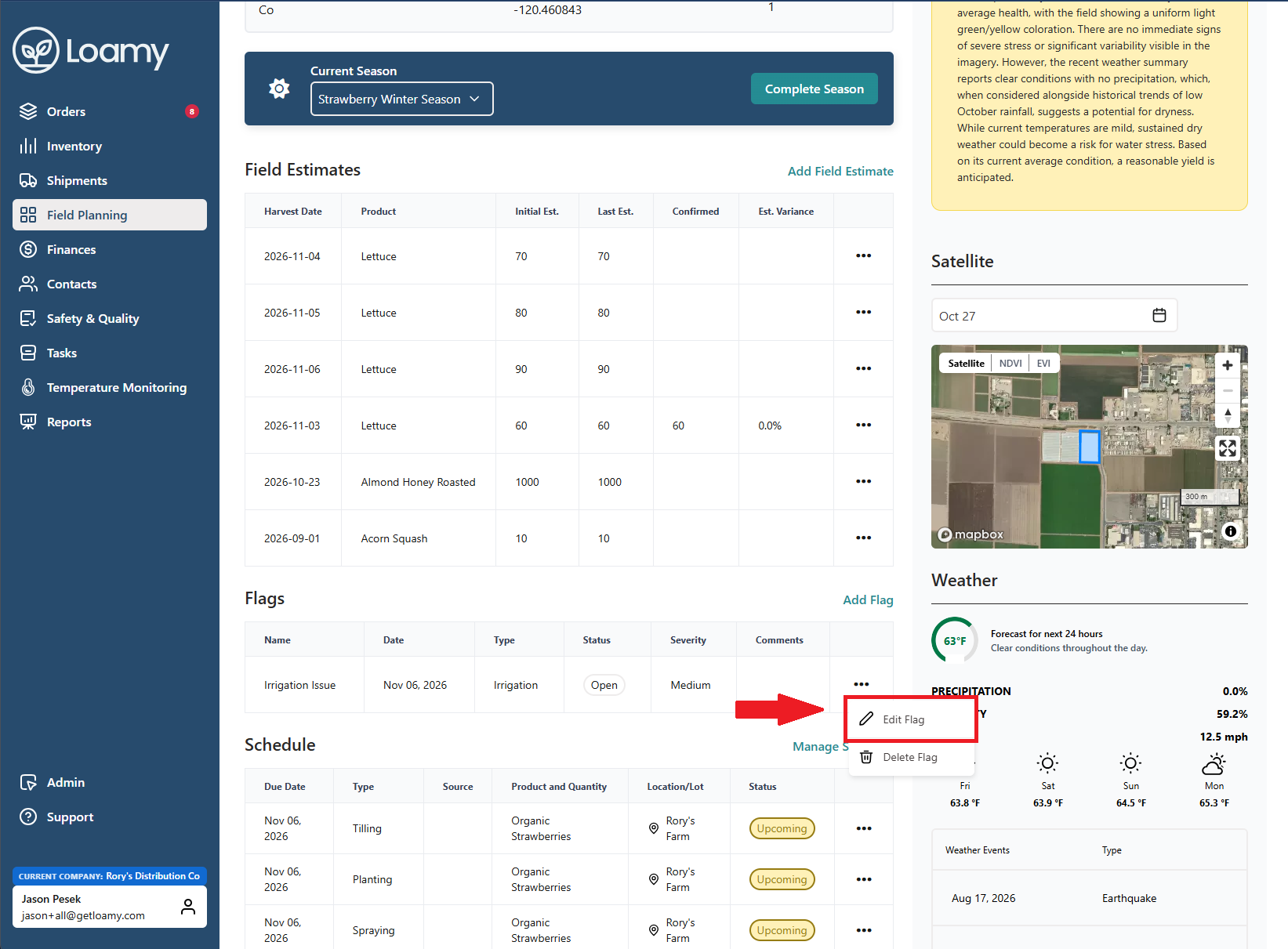
5. Once the issue has been checked out and it's been resolved, select the 3 dots and click Edit Flag.
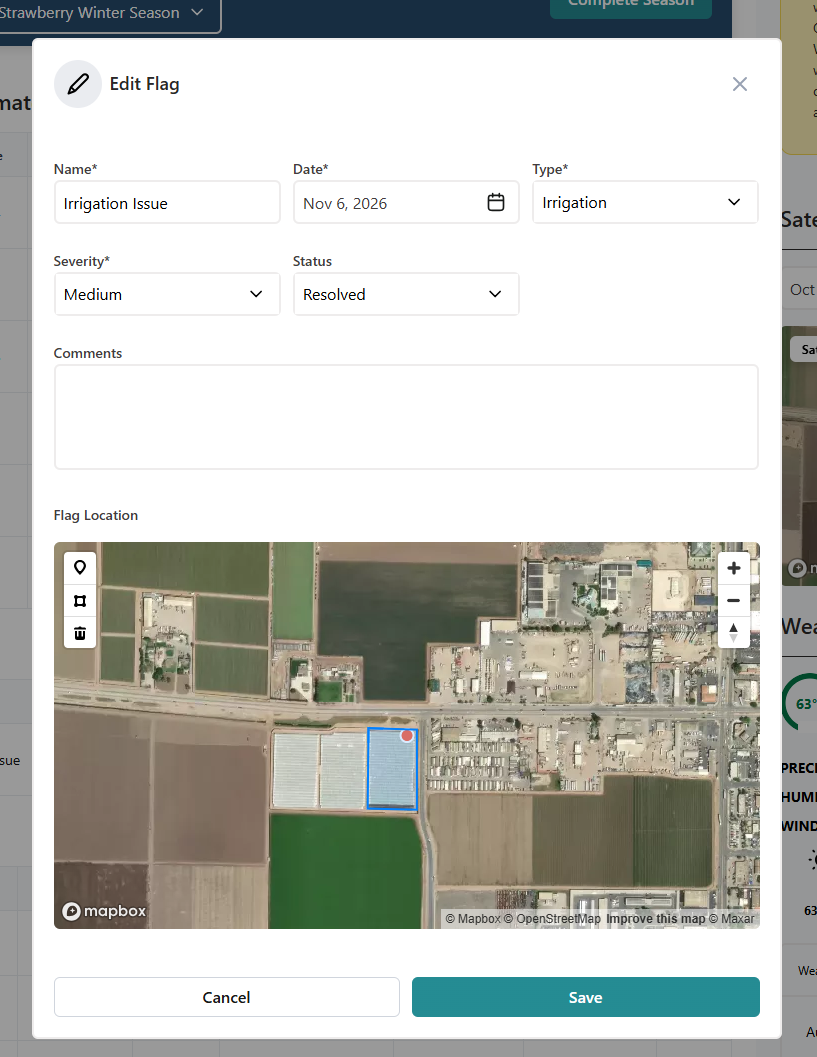
6. Update the status to Resolved and hit Save.
Was this article helpful?
That’s Great!
Thank you for your feedback
Sorry! We couldn't be helpful
Thank you for your feedback
Feedback sent
We appreciate your effort and will try to fix the article