How to Add a Field Estimate

Created by Jason Pesek, Modified on Fri, 29 May at 9:13 AM by Jason Pesek

1. Login to the Loamy Dashboard.

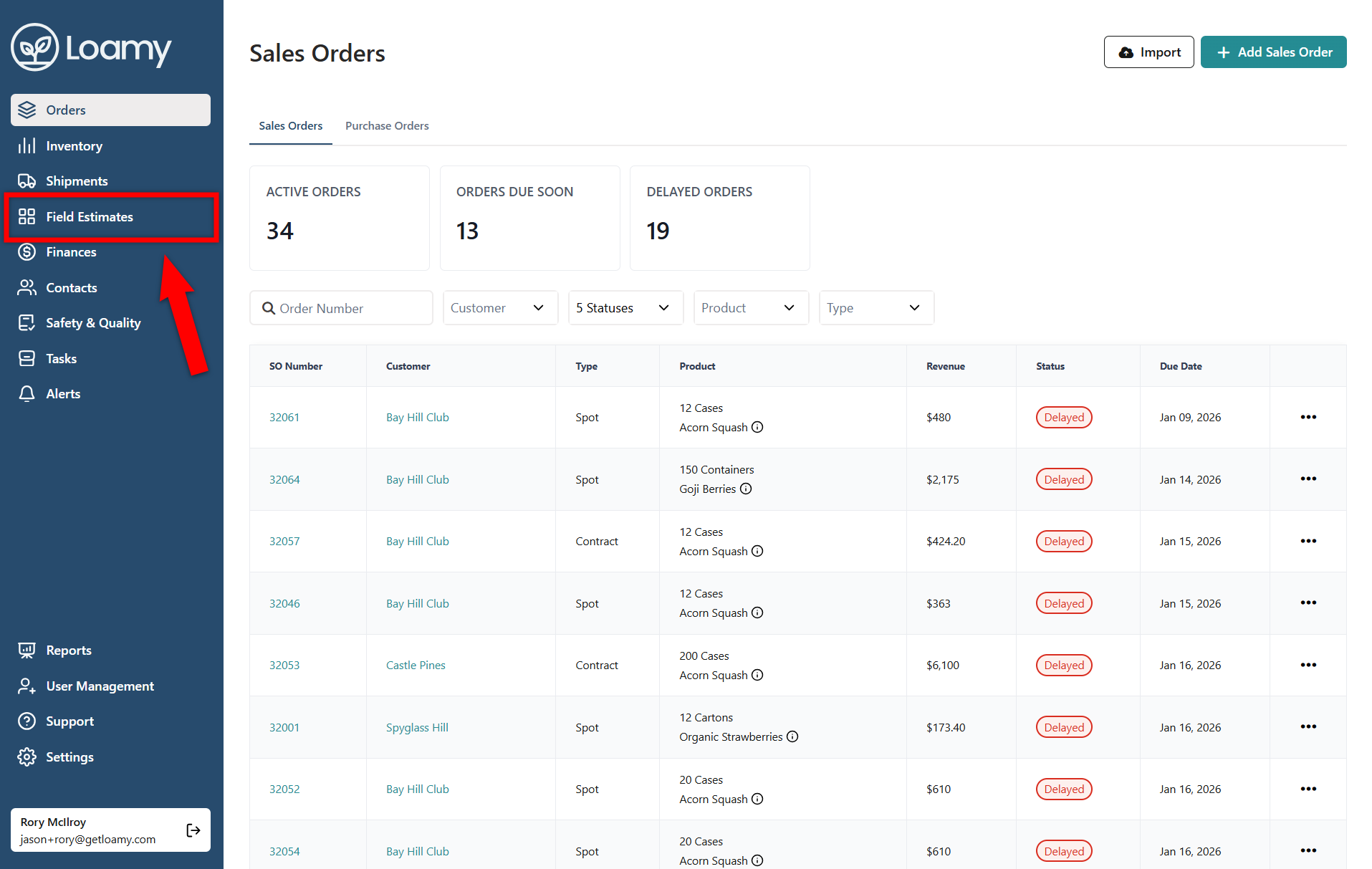
2. Go to the Field Estimates page by selecting it on the left-hand navigation menu.


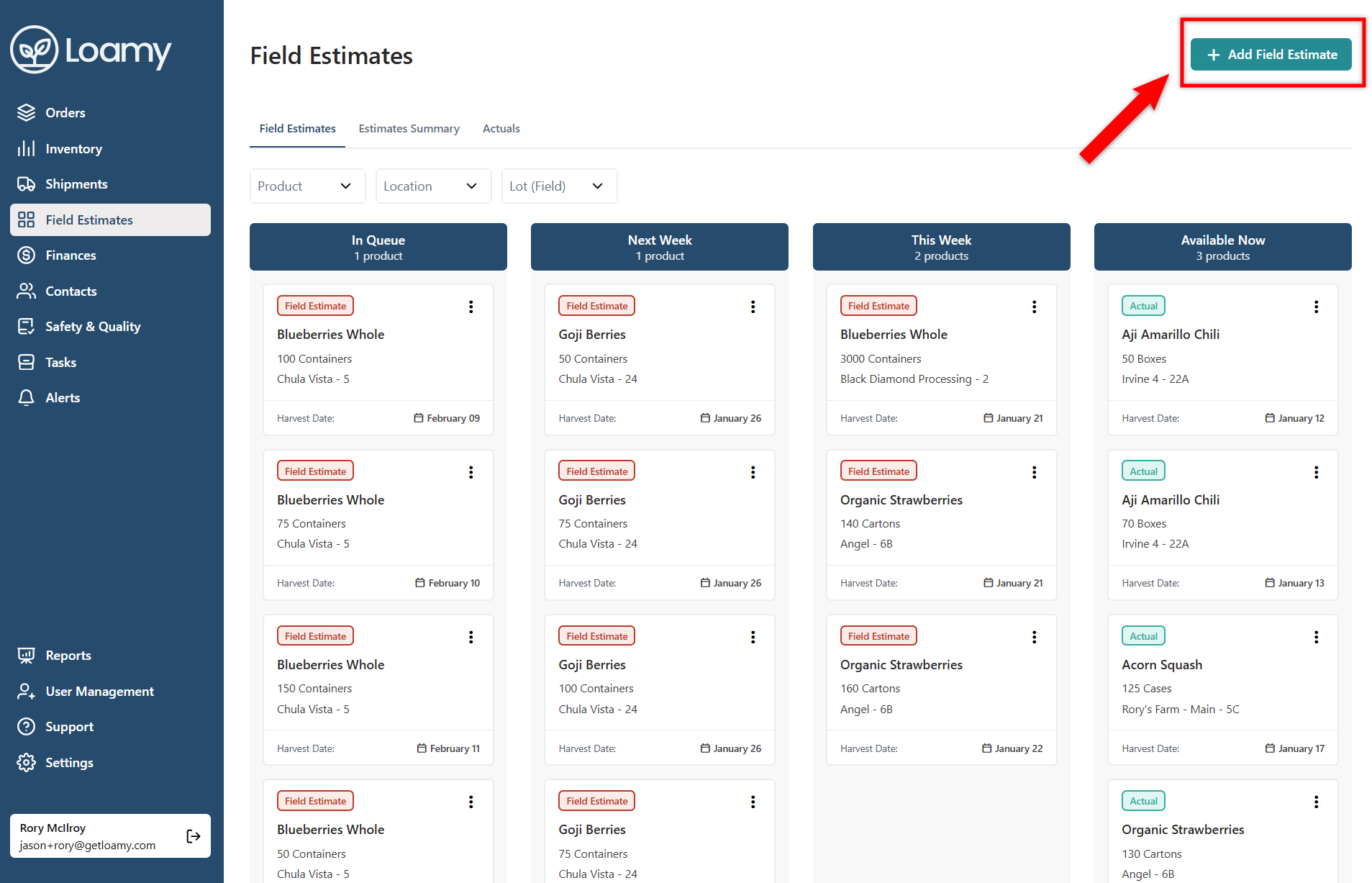
3. Select Add Field Estimate in the top right hand corner.


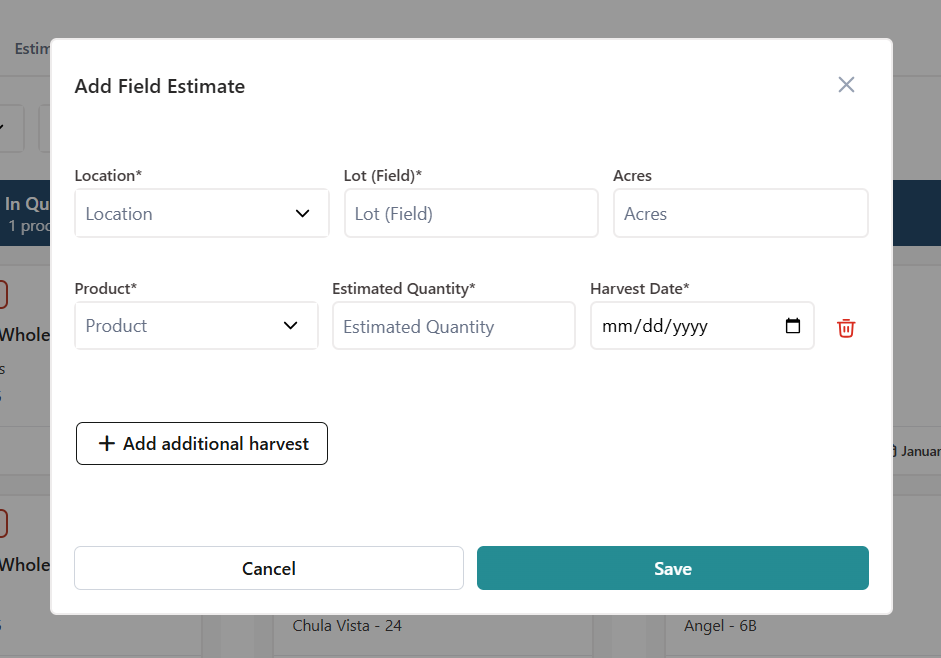
4. Add in the location, lot(field), product, quantity, and any additional information. Hit Save.


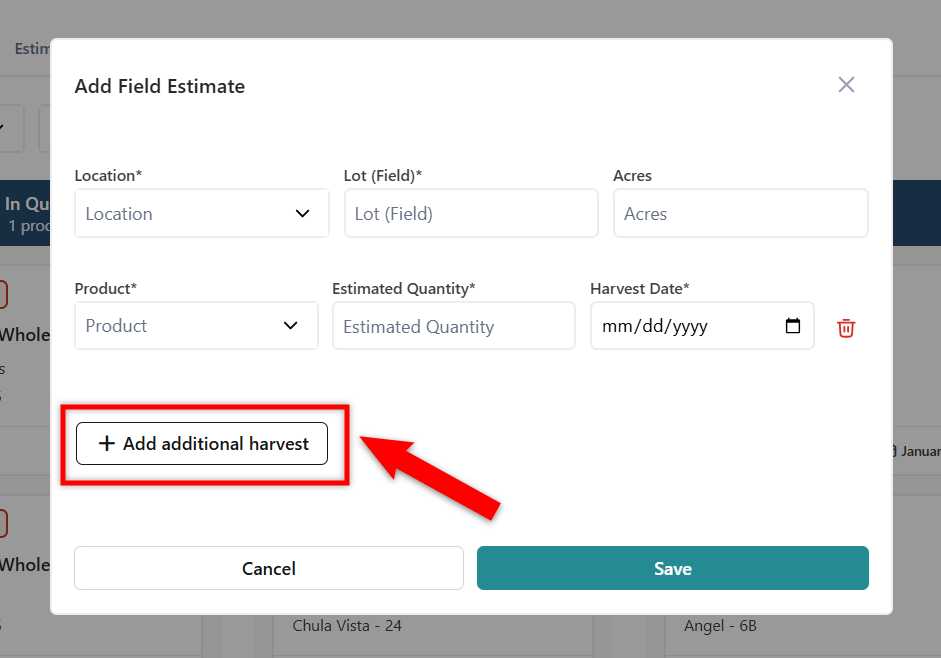
5. If you want to add multiple harvest dates for the same lot(field), select Add Additional Harvest.
                       

Was this article helpful?

That’s Great!

Thank you for your feedback

Sorry! We couldn't be helpful

Thank you for your feedback

Let us know how can we improve this article!

Select at least one of the reasons
CAPTCHA verification is required.

Feedback sent

We appreciate your effort and will try to fix the article