1. Login to the Loamy Dashboard.
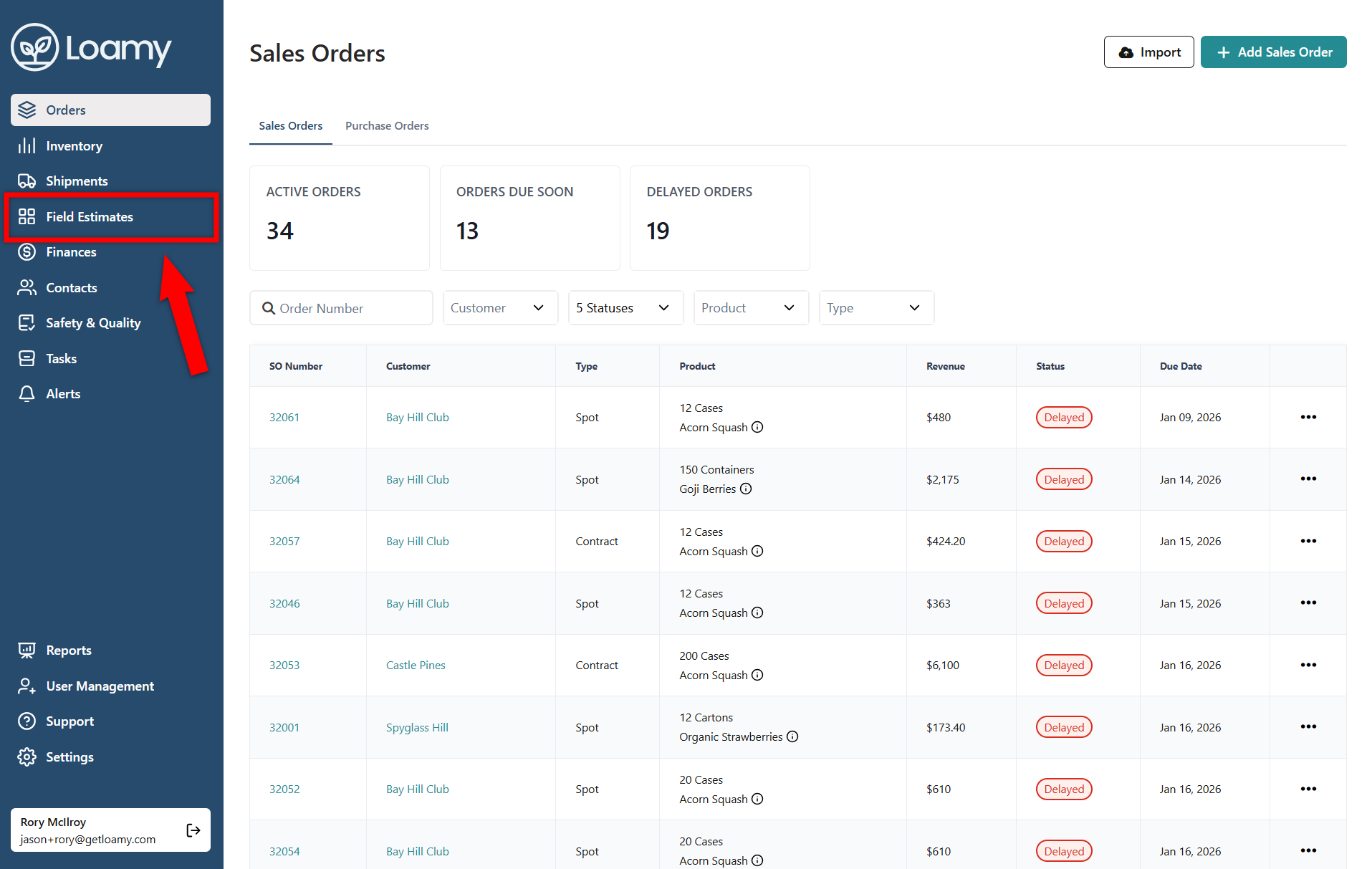
2. Go to the Field Estimates page by selecting it on the left-hand navigation menu.
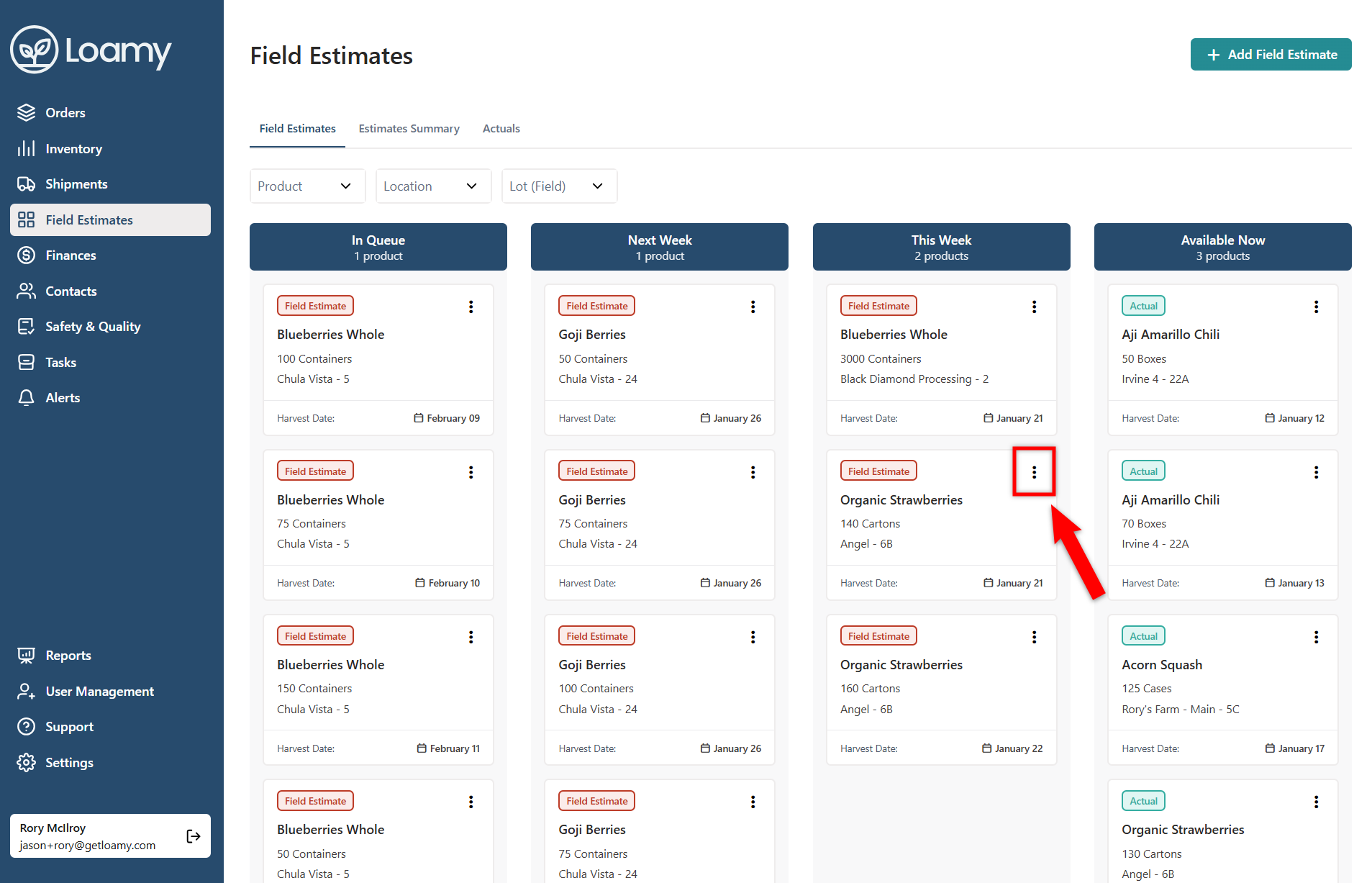
3. Find the estimate you want to confirm that has a harvest of this week and select the three dots.
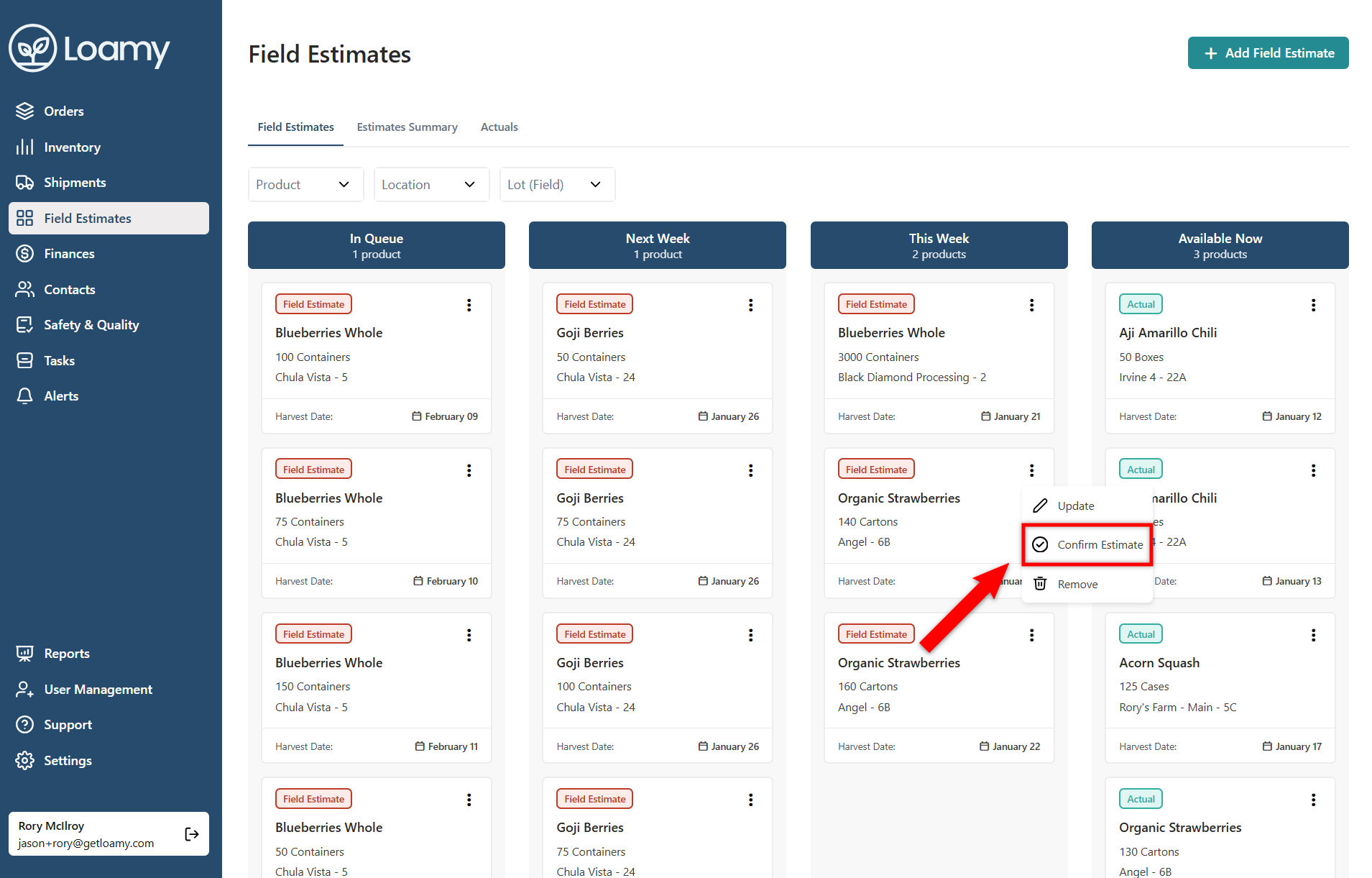
4. Choose Confirm Field Estimate.
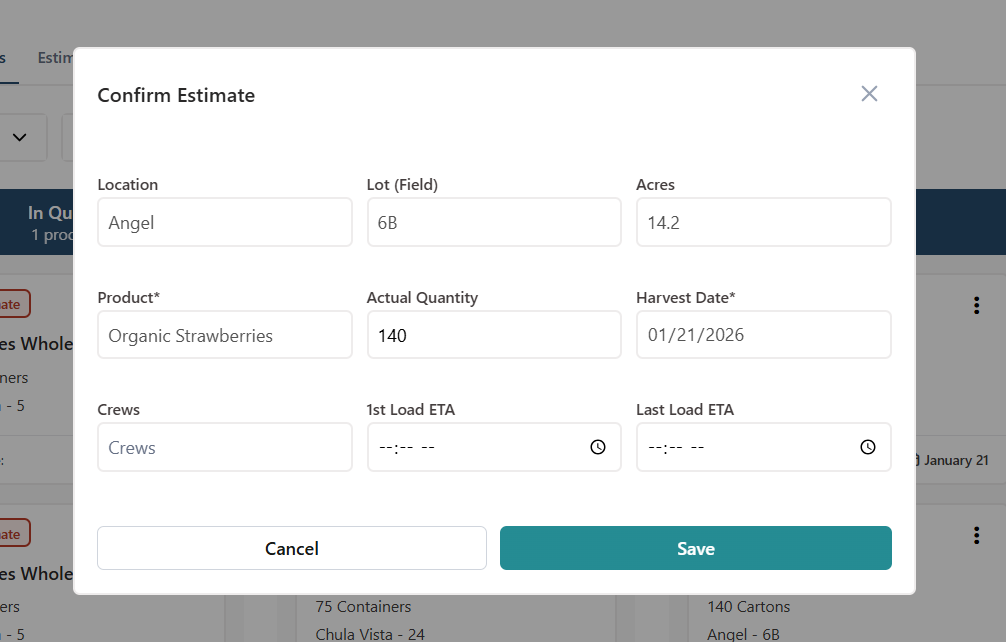
5. Add in the confirmed quantity, and add in optional information like the crews and start/end times. Then select Save.
Was this article helpful?
That’s Great!
Thank you for your feedback
Sorry! We couldn't be helpful
Thank you for your feedback
Feedback sent
We appreciate your effort and will try to fix the article