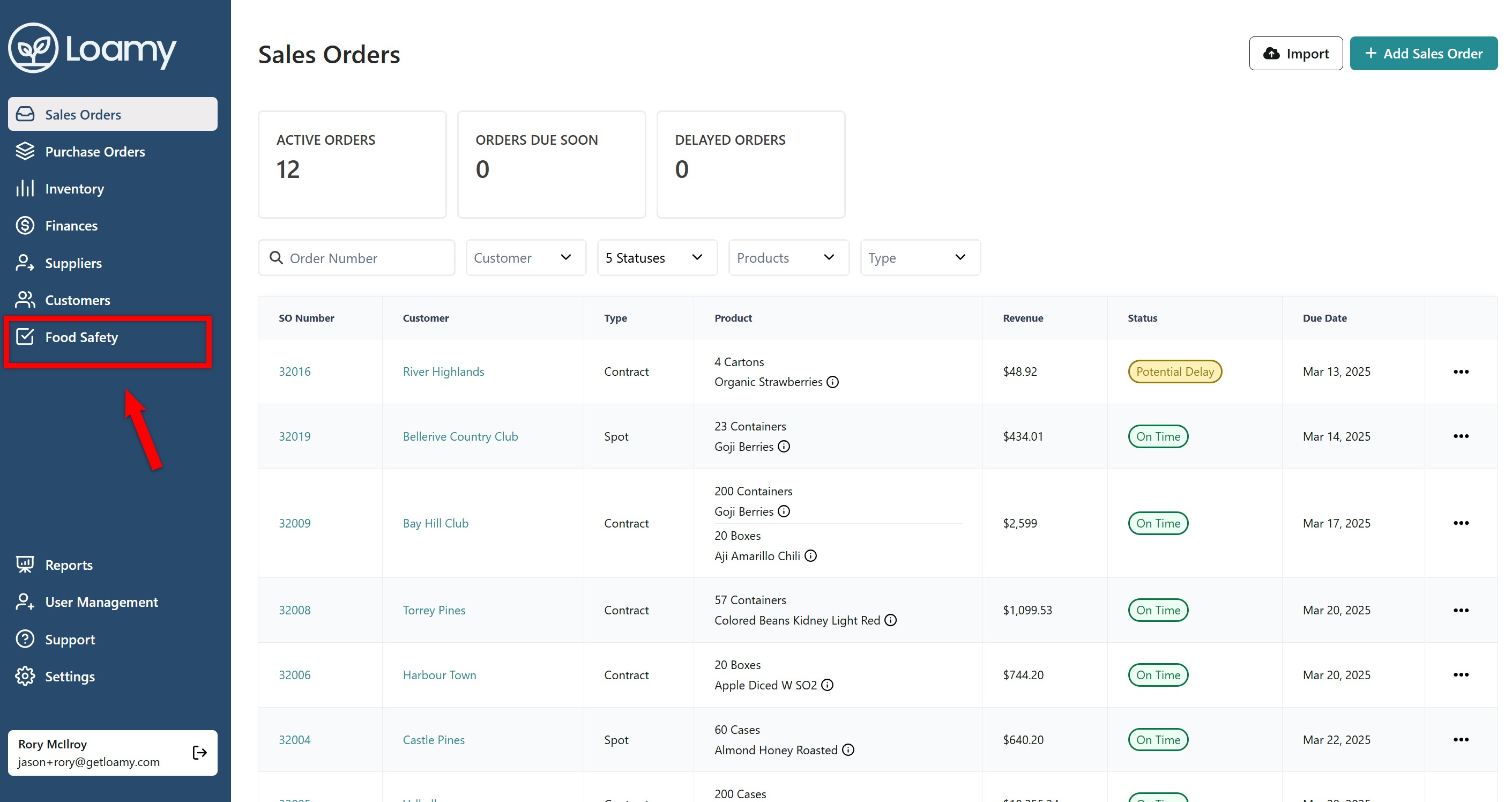
1. In the Loamy dashboard, navigate to Food Safety on the left-hand navigation.
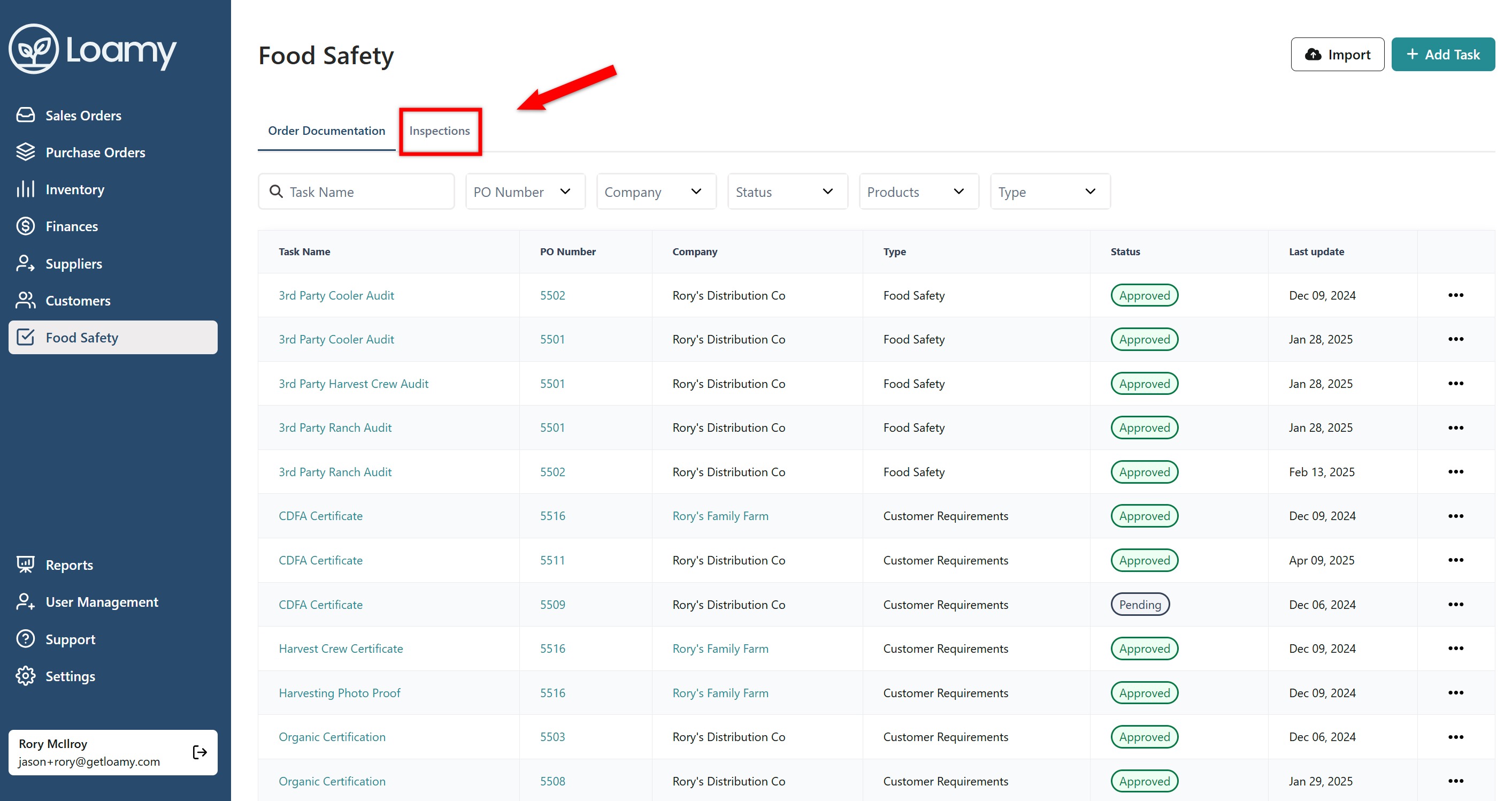
2. Click on the Inspections tab.
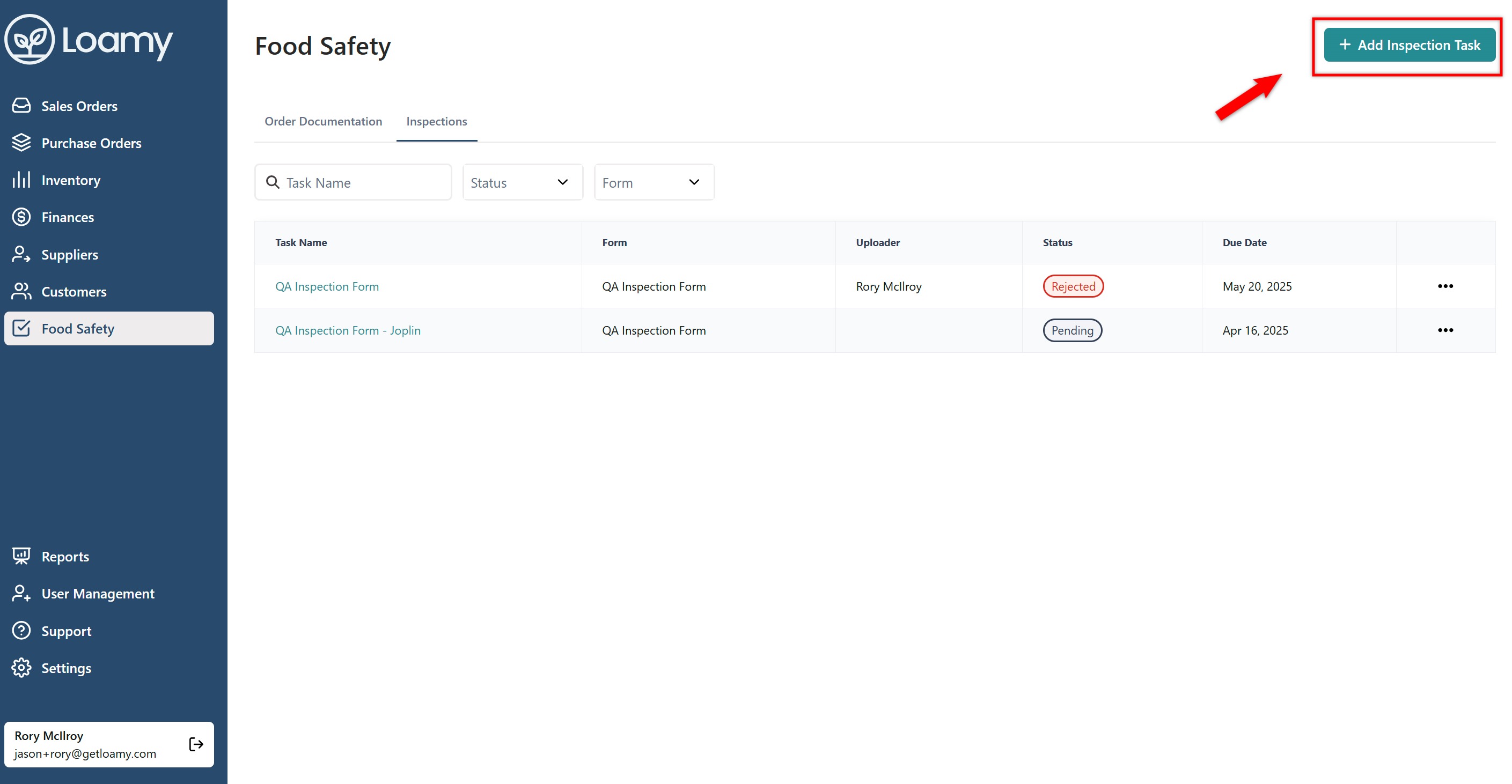
3. Hit Add Inspection in the top right corner.
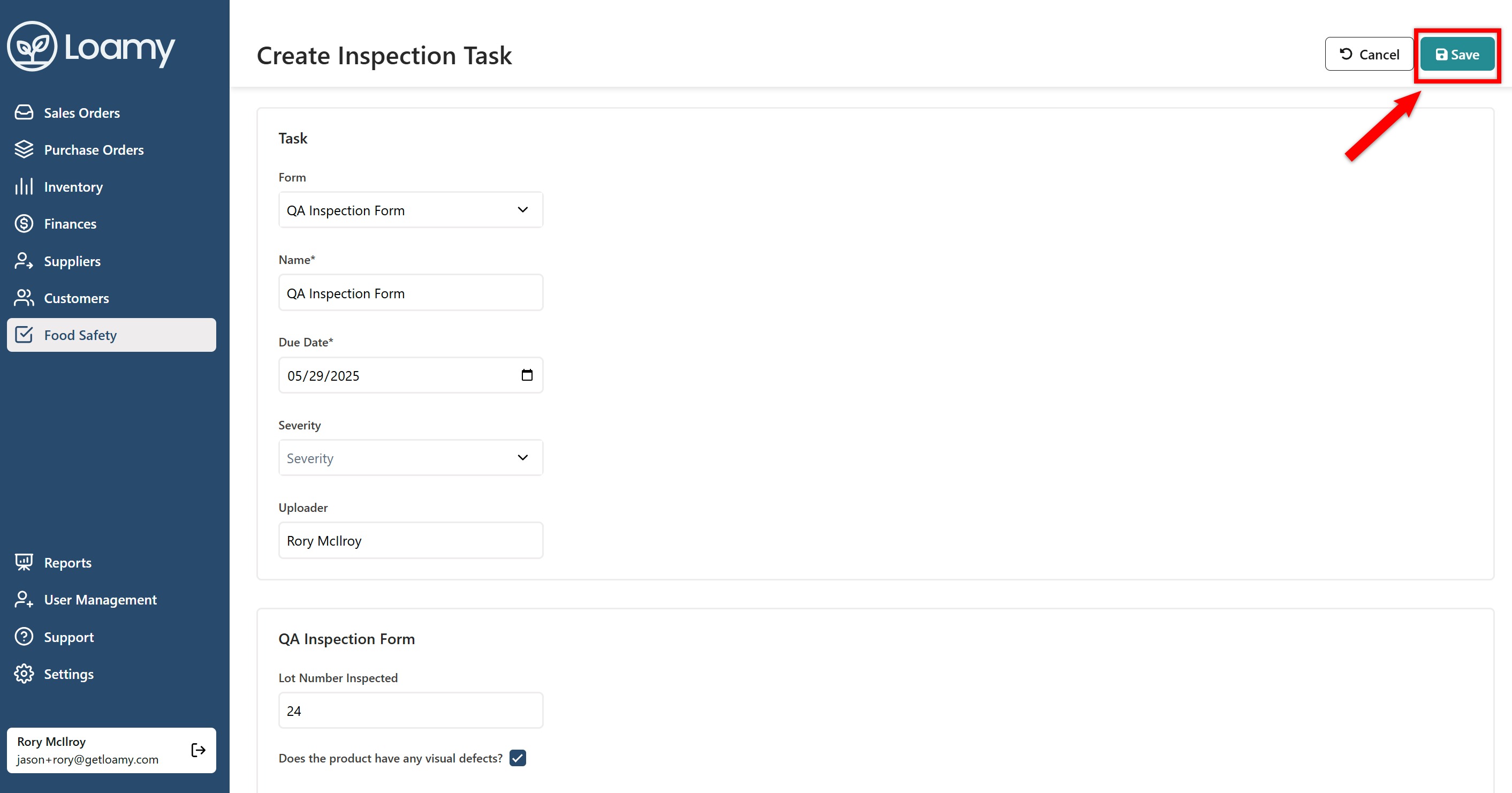
4. Select the form you want to complete and fill it out.
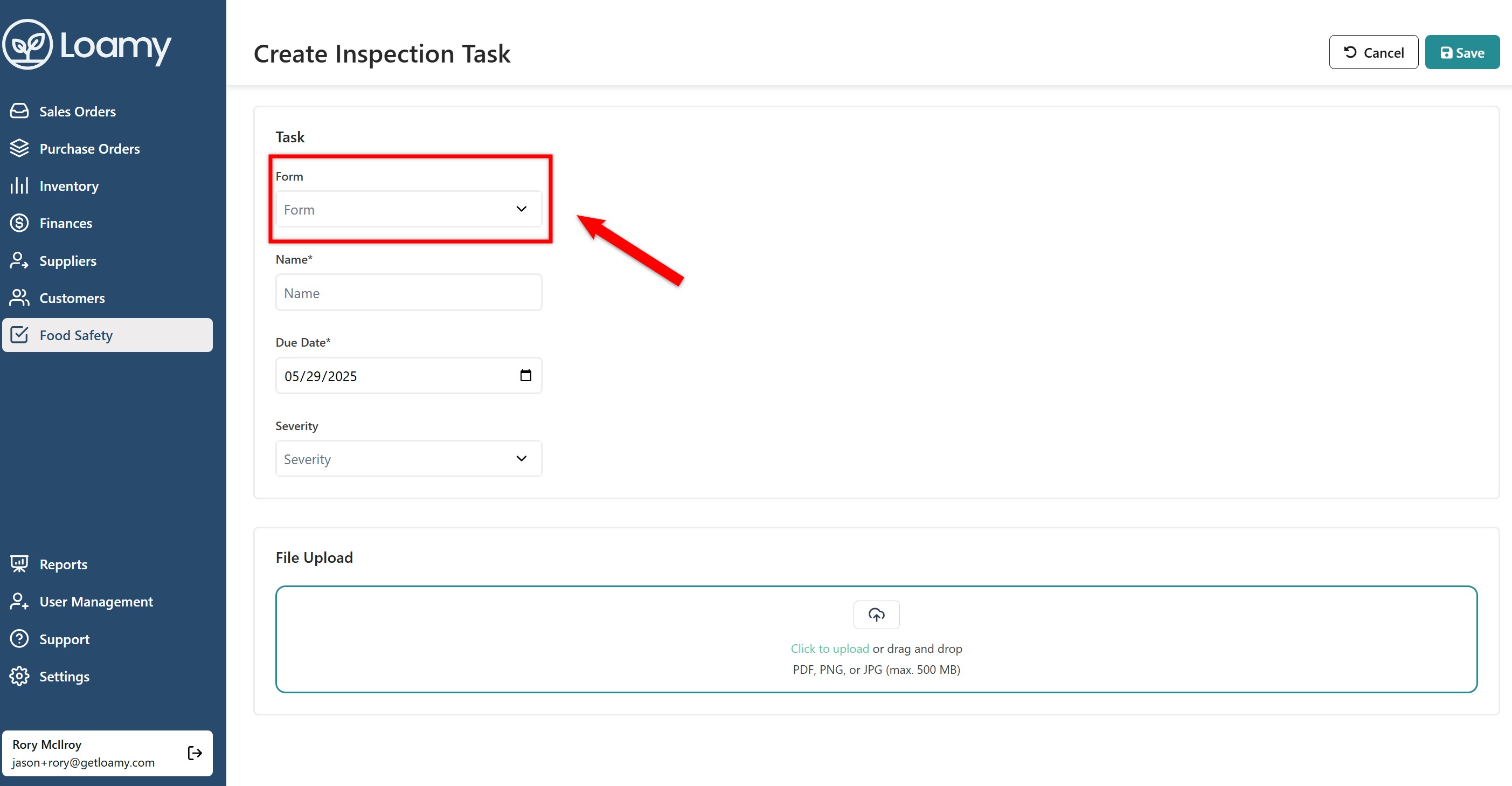
5. Once the form is complete, select Save in the top right corner.
Was this article helpful?
That’s Great!
Thank you for your feedback
Sorry! We couldn't be helpful
Thank you for your feedback
Feedback sent
We appreciate your effort and will try to fix the article