1. Inicie sesión en el panel de control de Loamy.
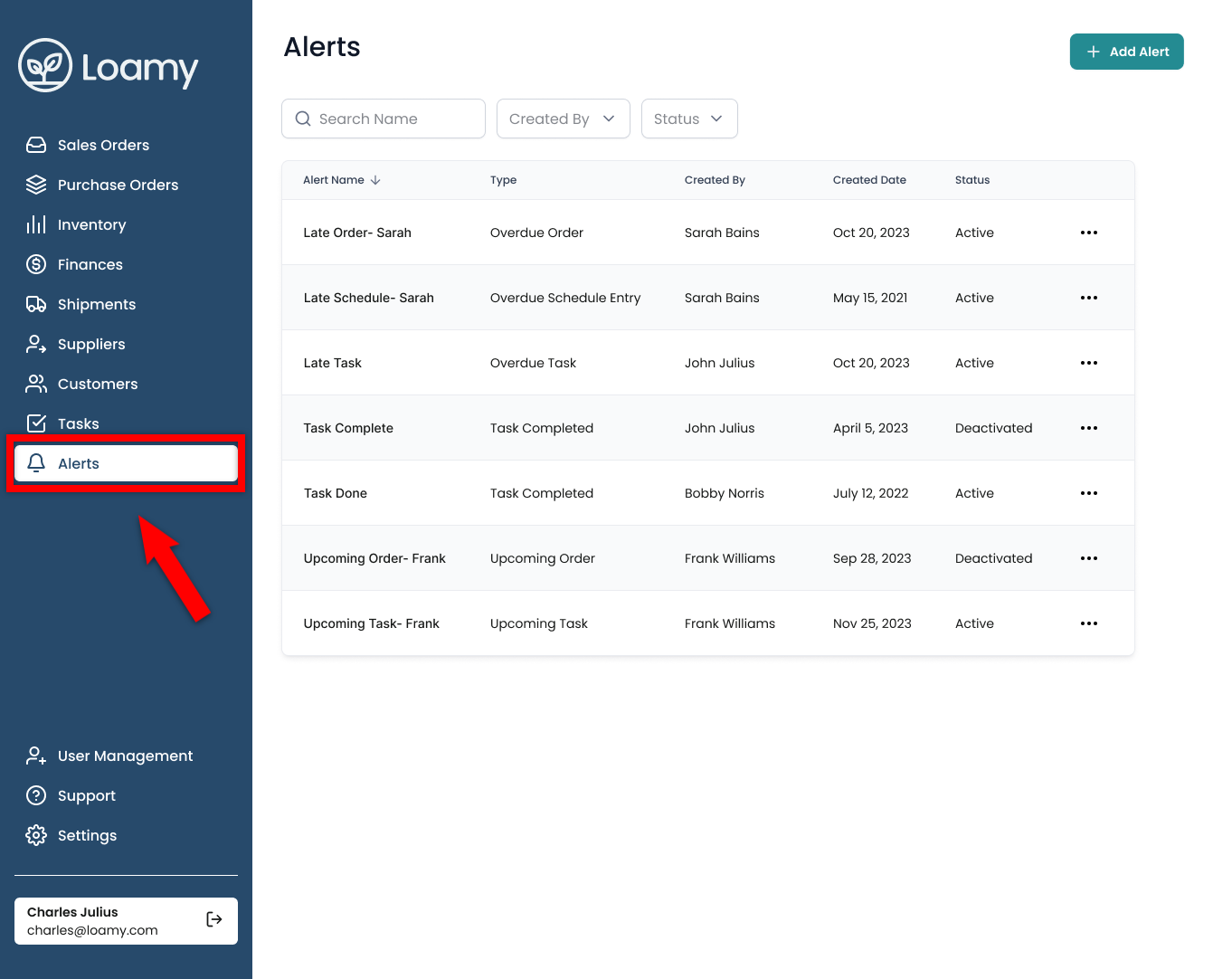
2. Navegue a la página Alertas seleccionándola en el menú de navegación de la izquierda.
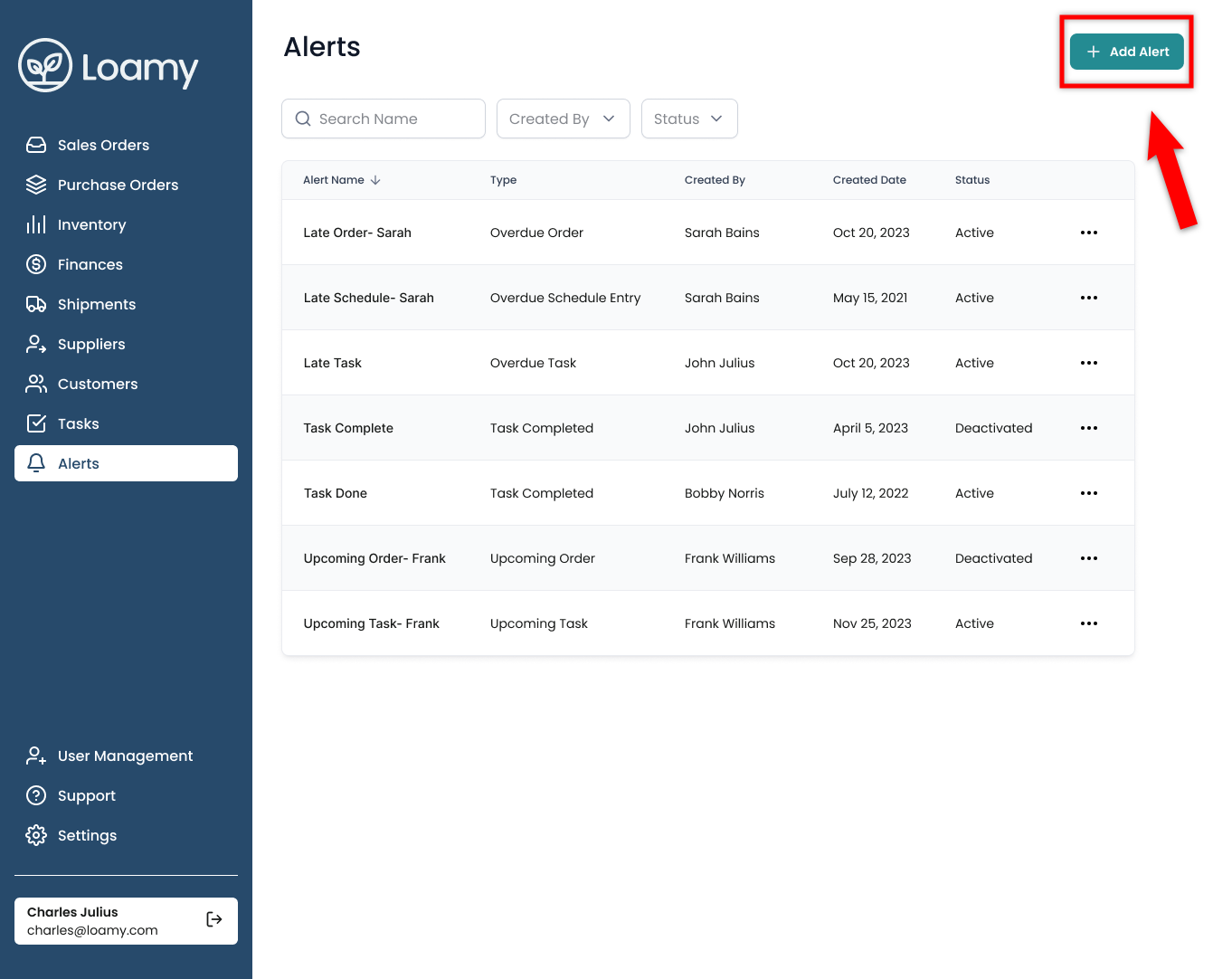
3. Seleccione Agregar alerta en la esquina superior derecha.
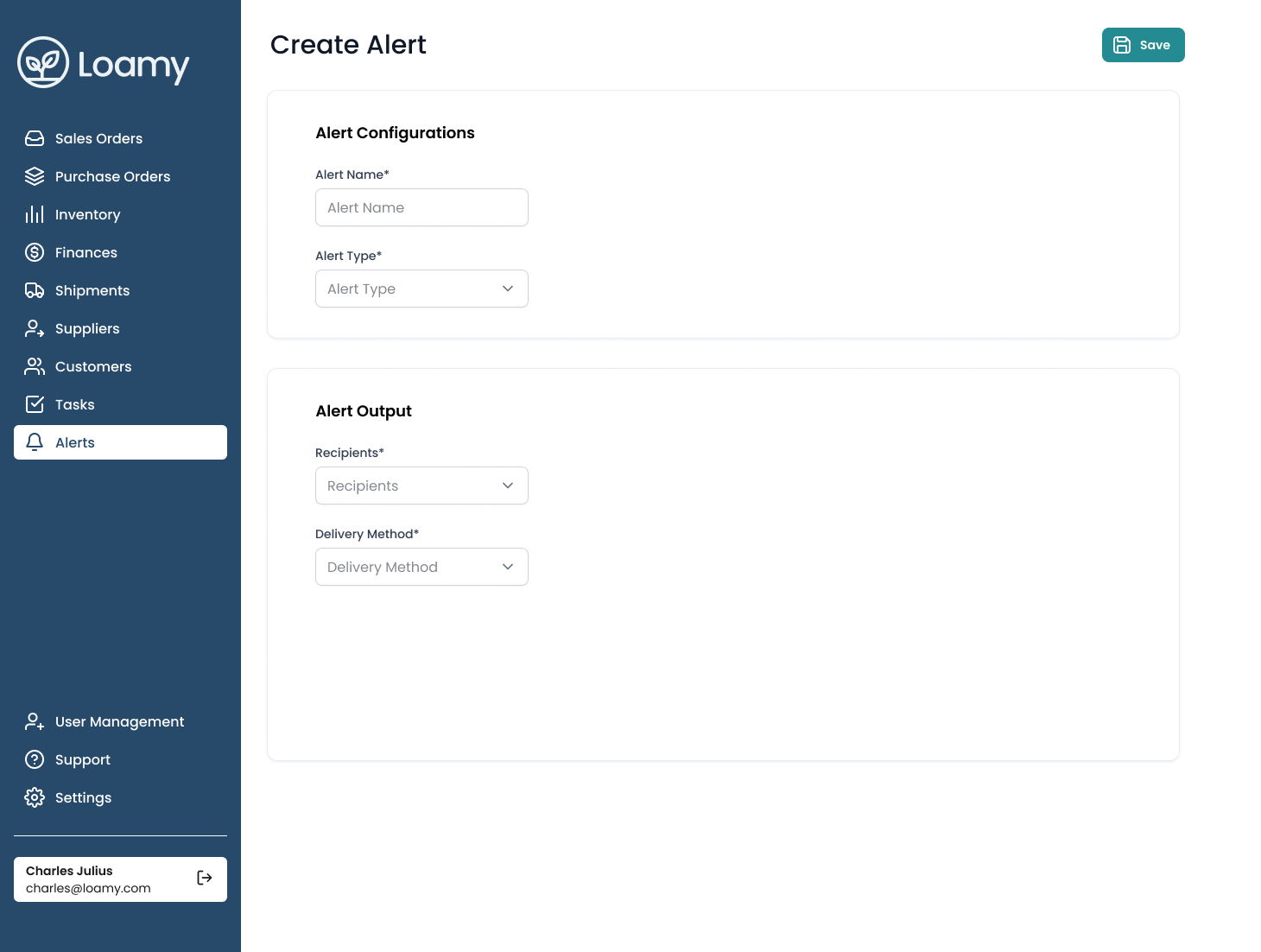
4. Completa los datos, selecciónate como destinatario si deseas recibirlos y elige el método de envío (SMS/Email).
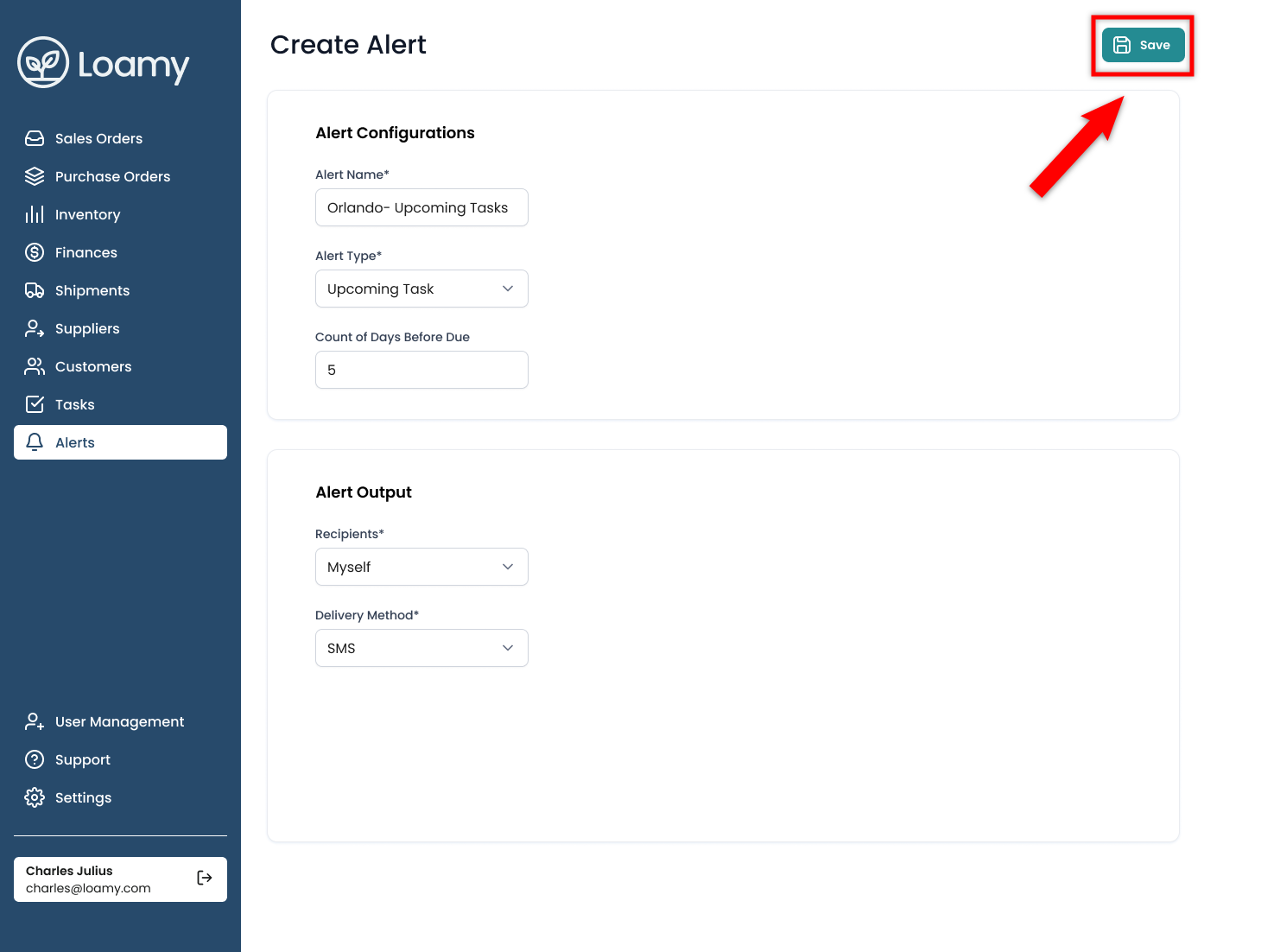
5. . Una vez completado, presione Guardar.
Was this article helpful?
That’s Great!
Thank you for your feedback
Sorry! We couldn't be helpful
Thank you for your feedback
Feedback sent
We appreciate your effort and will try to fix the article