1. Inicie sesión en el panel de control de Loamy.
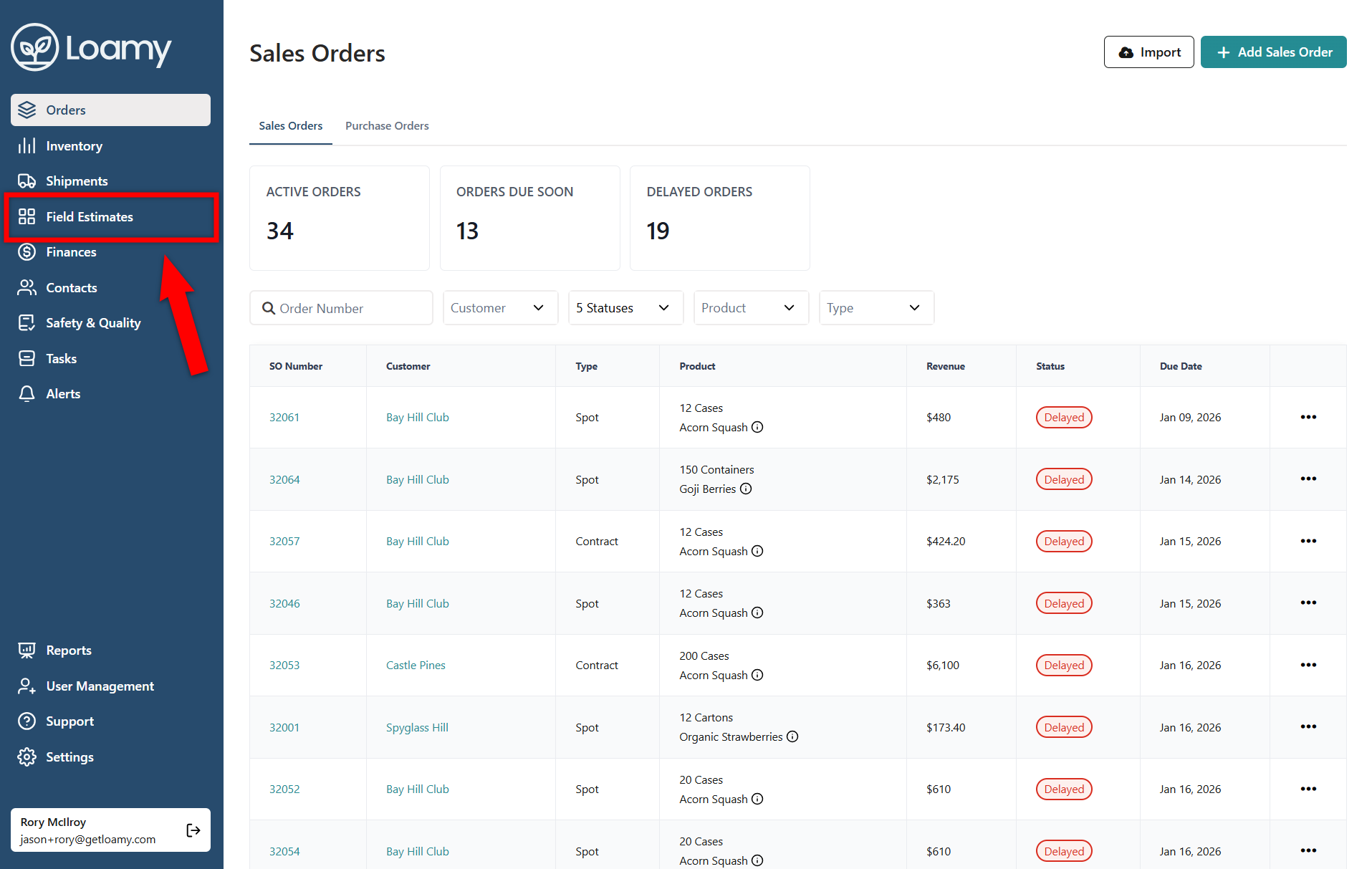
2. Vaya a la página Estimaciones de campo seleccionándola en el menú de navegación de la izquierda.
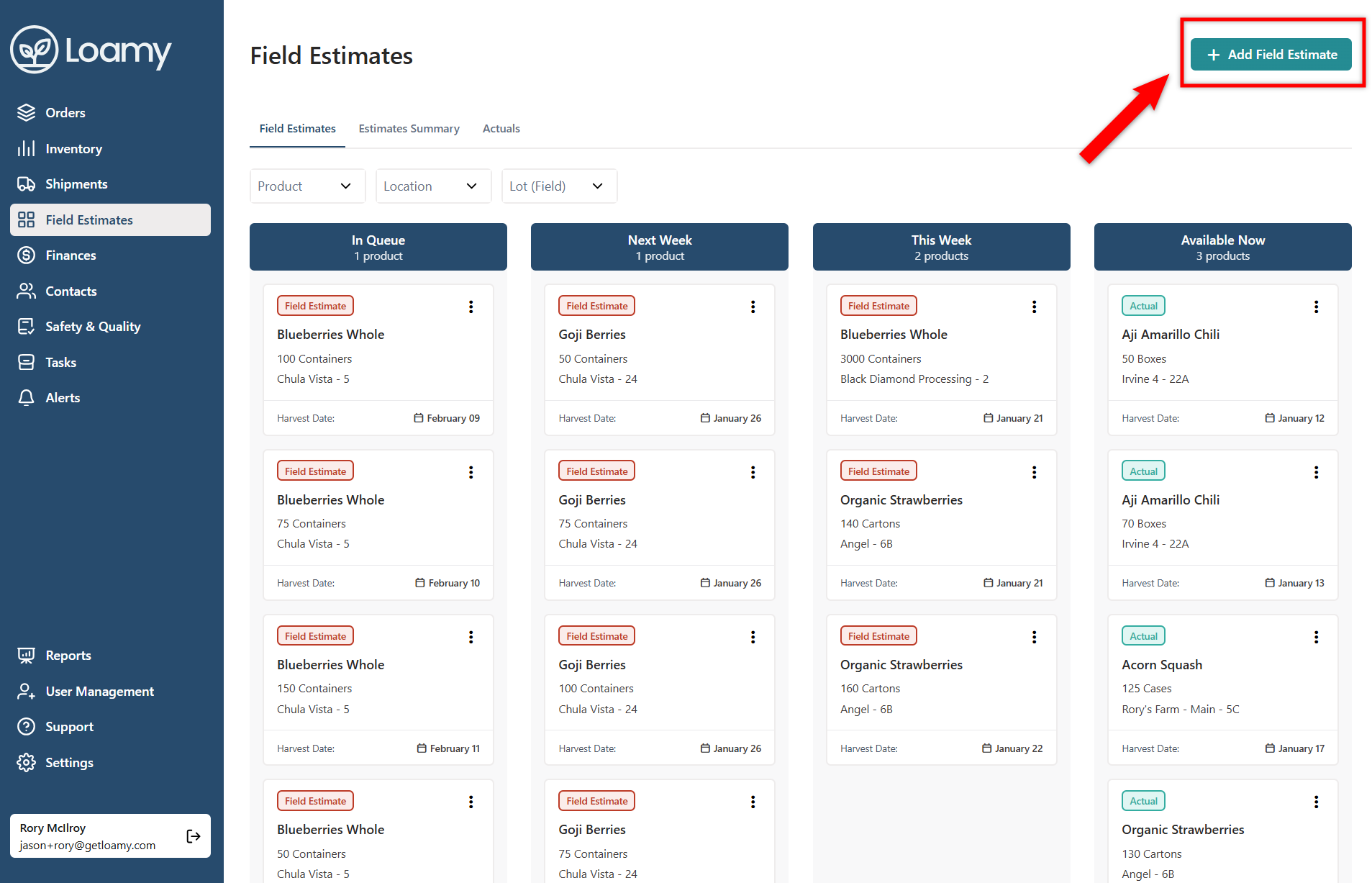
3. Seleccione Agregar estimación de campo en la esquina superior derecha.
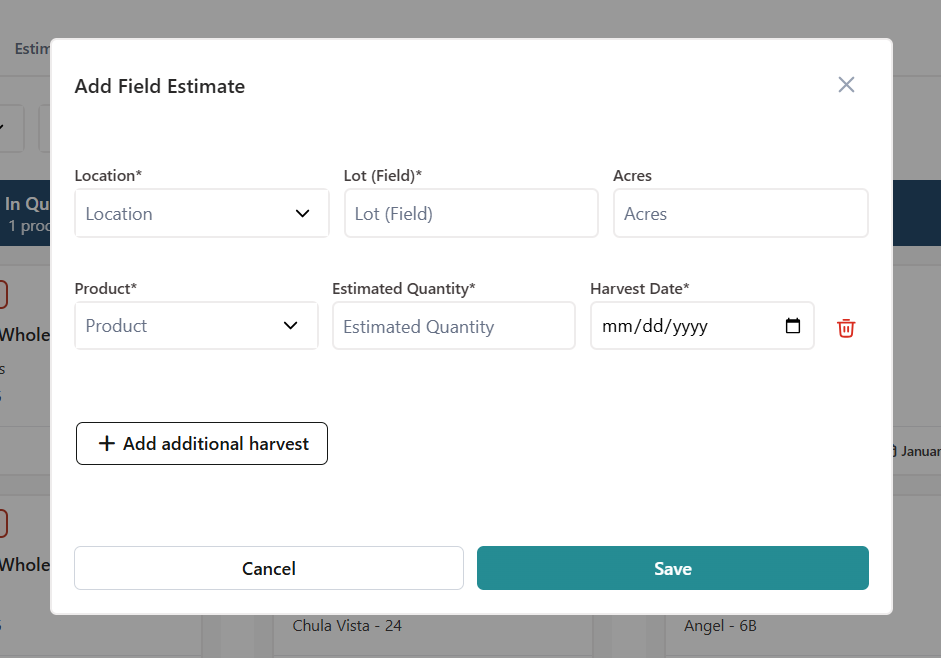
4. Agregue la ubicación, el lote, el producto, la cantidad y cualquier información adicional. Pulse Guardar.
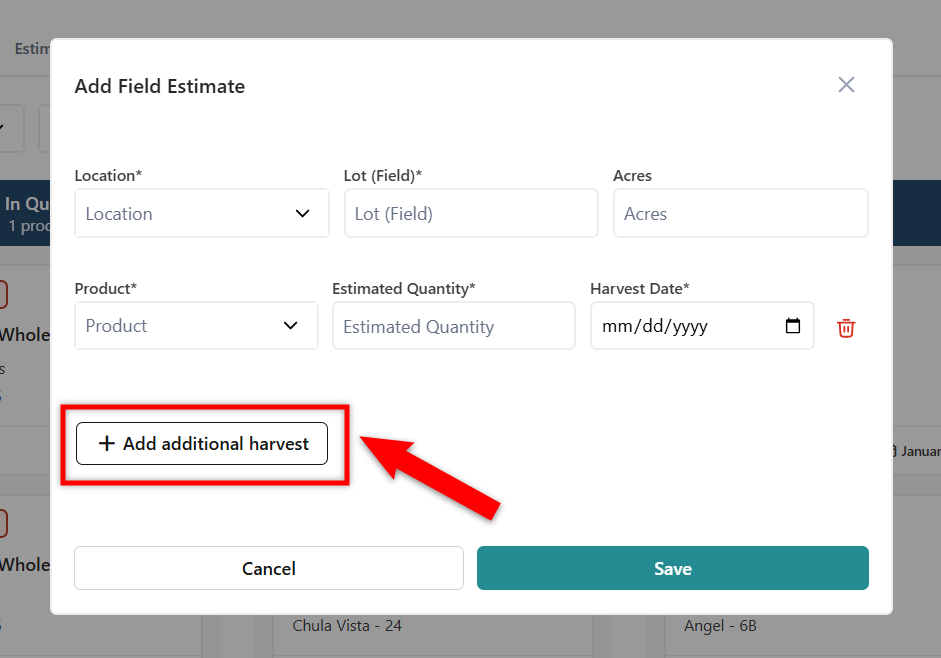
5. Si desea agregar varias fechas de cosecha para el mismo lote (campo), seleccione Agregar cosecha adicional.
Was this article helpful?
That’s Great!
Thank you for your feedback
Sorry! We couldn't be helpful
Thank you for your feedback
Feedback sent
We appreciate your effort and will try to fix the article