1. Inicie sesión en el panel de control de Loamy.
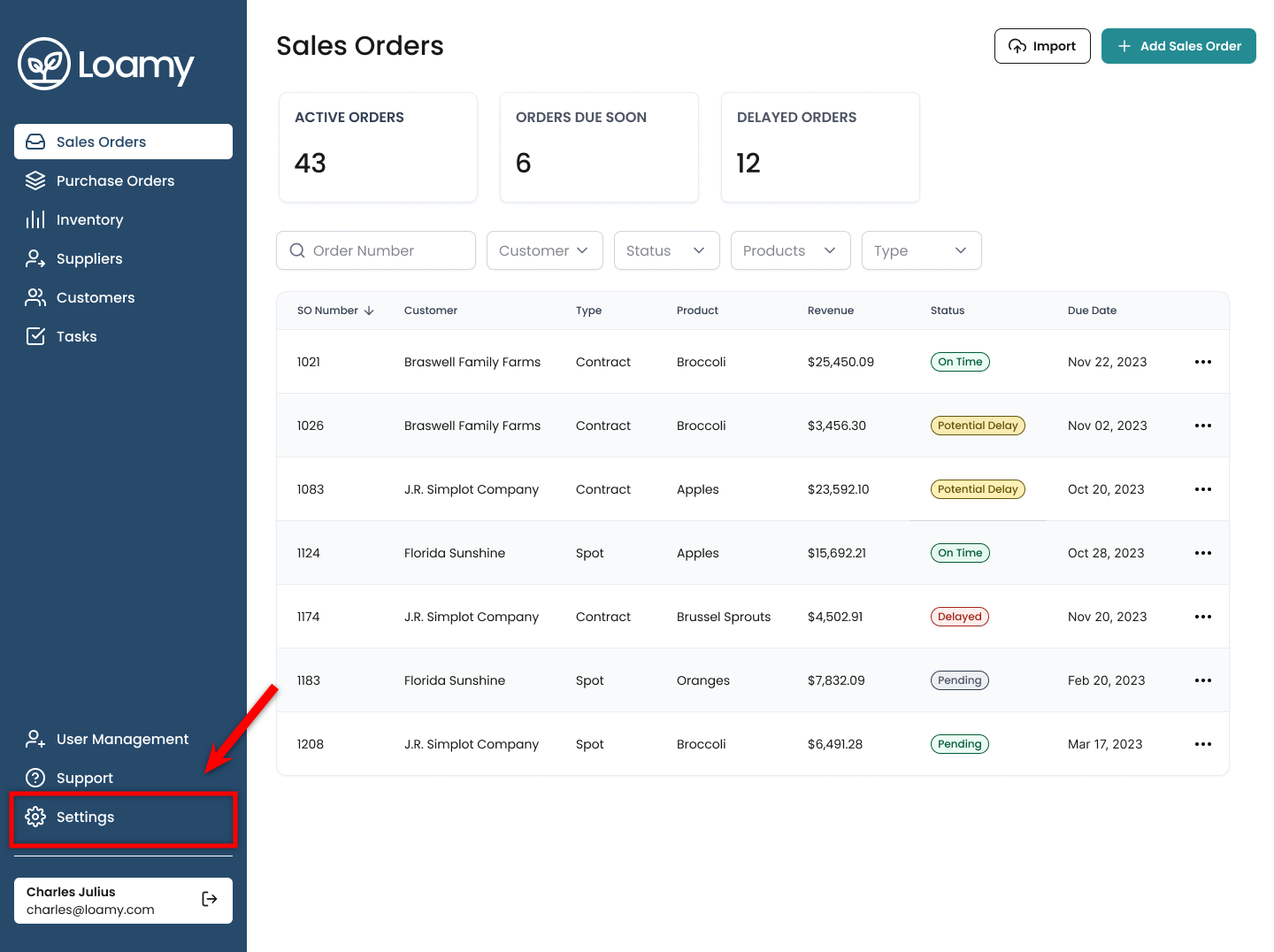
2. Vaya a la página de Configuración seleccionándola en el menú de navegación de la izquierda.
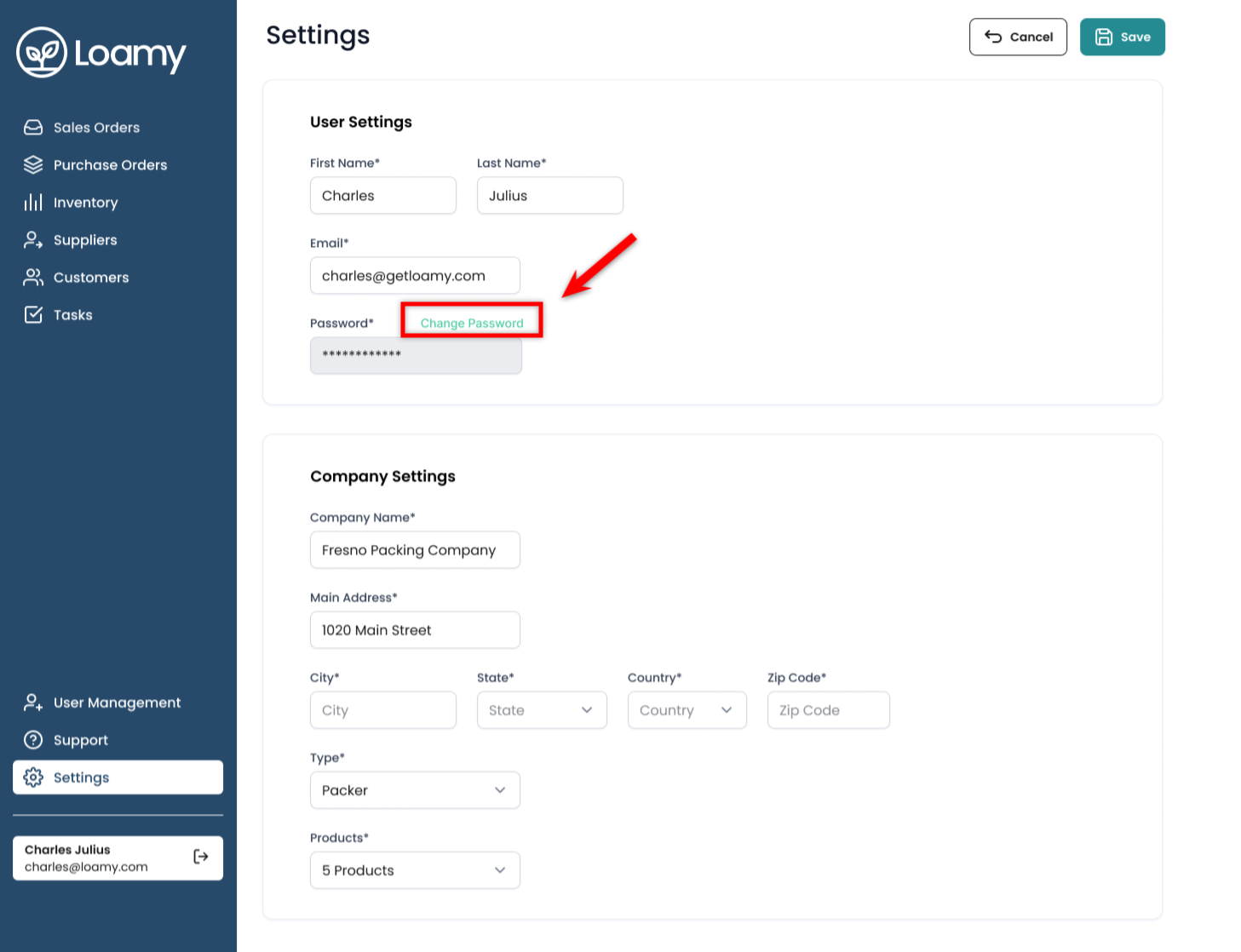
3. Haga clic en Cambiar contraseña.
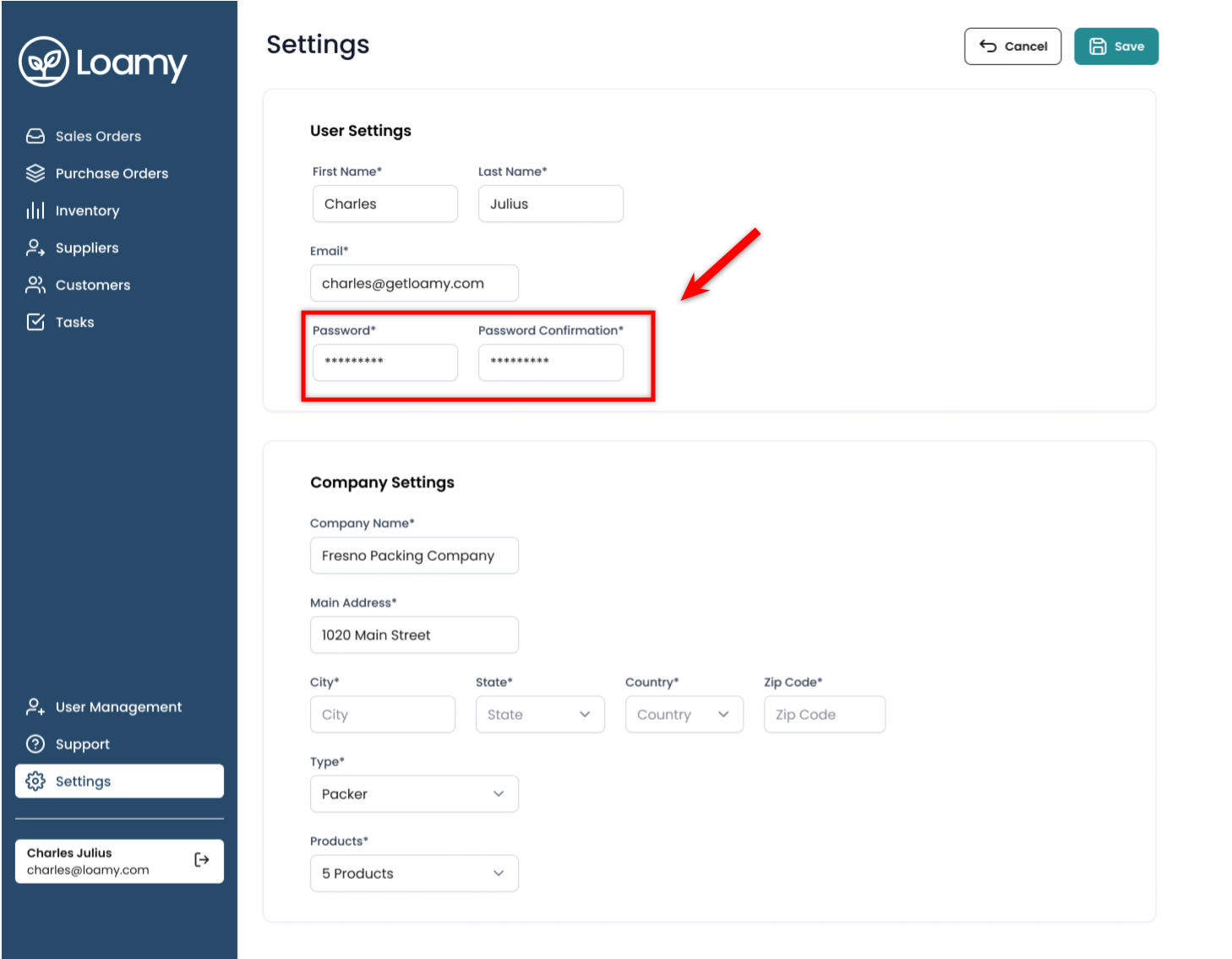
4. Ingrese su nueva contraseña y confírmela.
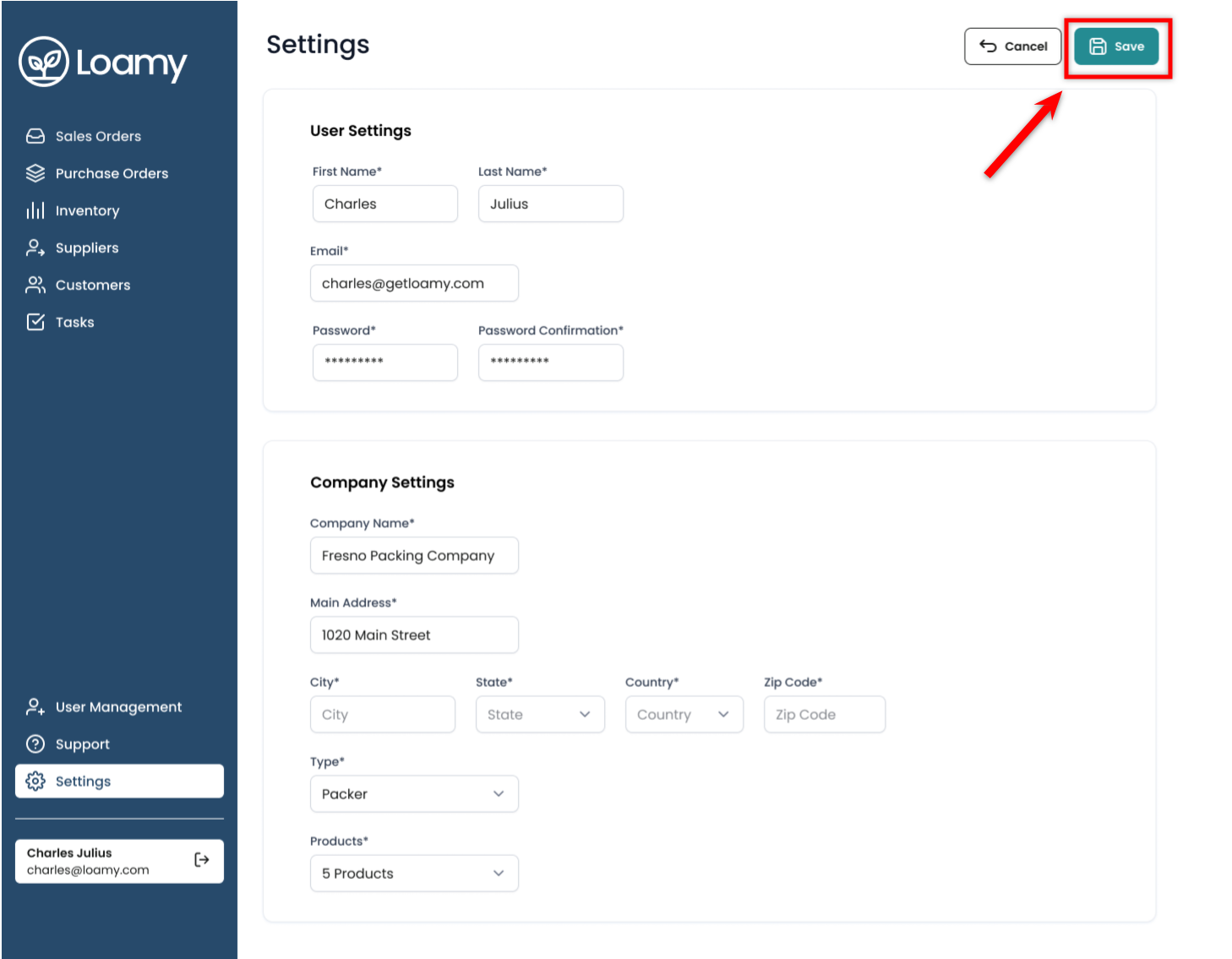
5. Haga clic en Guardar.
Was this article helpful?
That’s Great!
Thank you for your feedback
Sorry! We couldn't be helpful
Thank you for your feedback
Feedback sent
We appreciate your effort and will try to fix the article