1. Login to the Loamy Dashboard.
2. Go to the Tasks page by selecting it on the left-hand navigation menu.
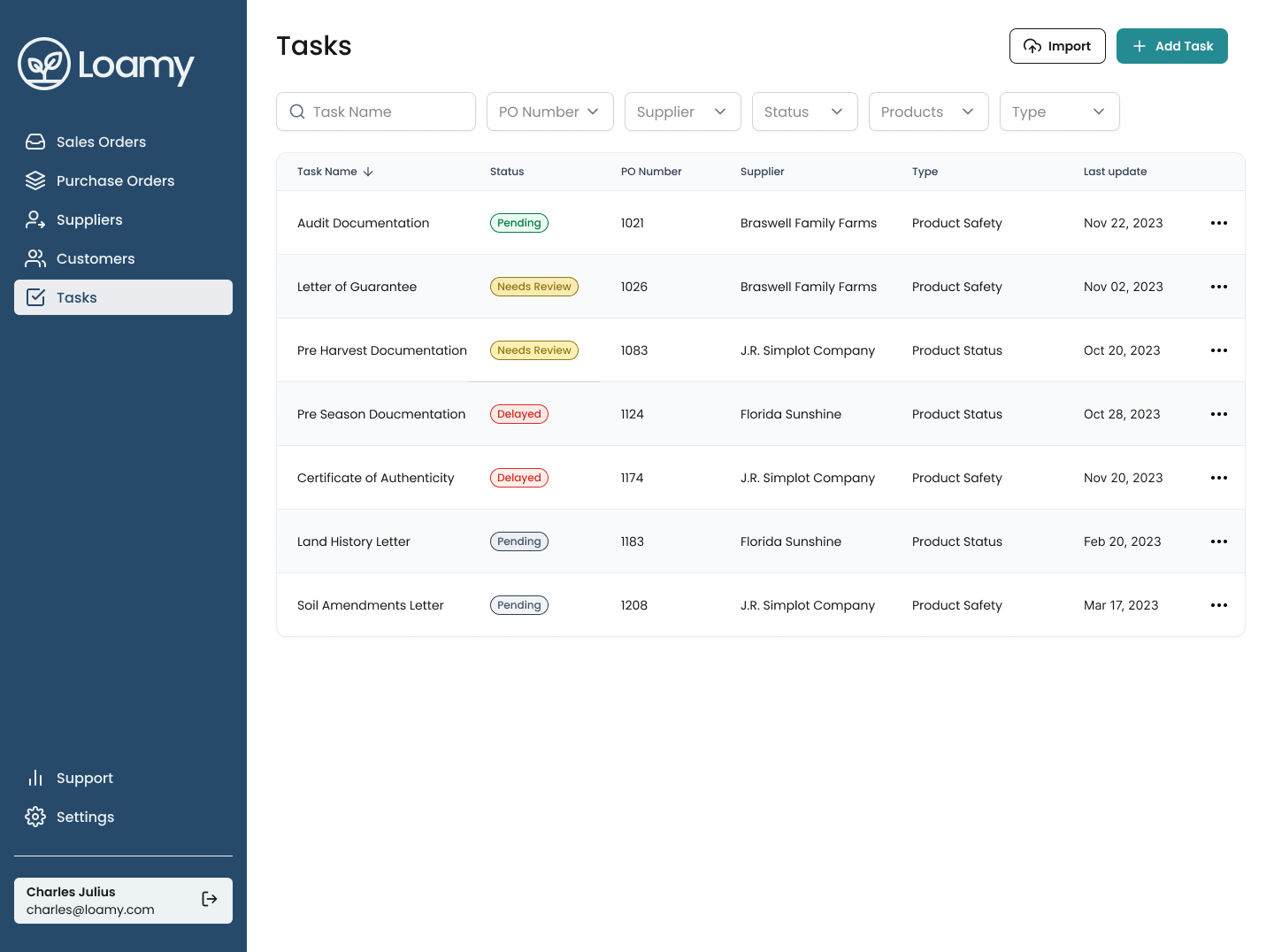
3. Click on the relevant task you want to message on.
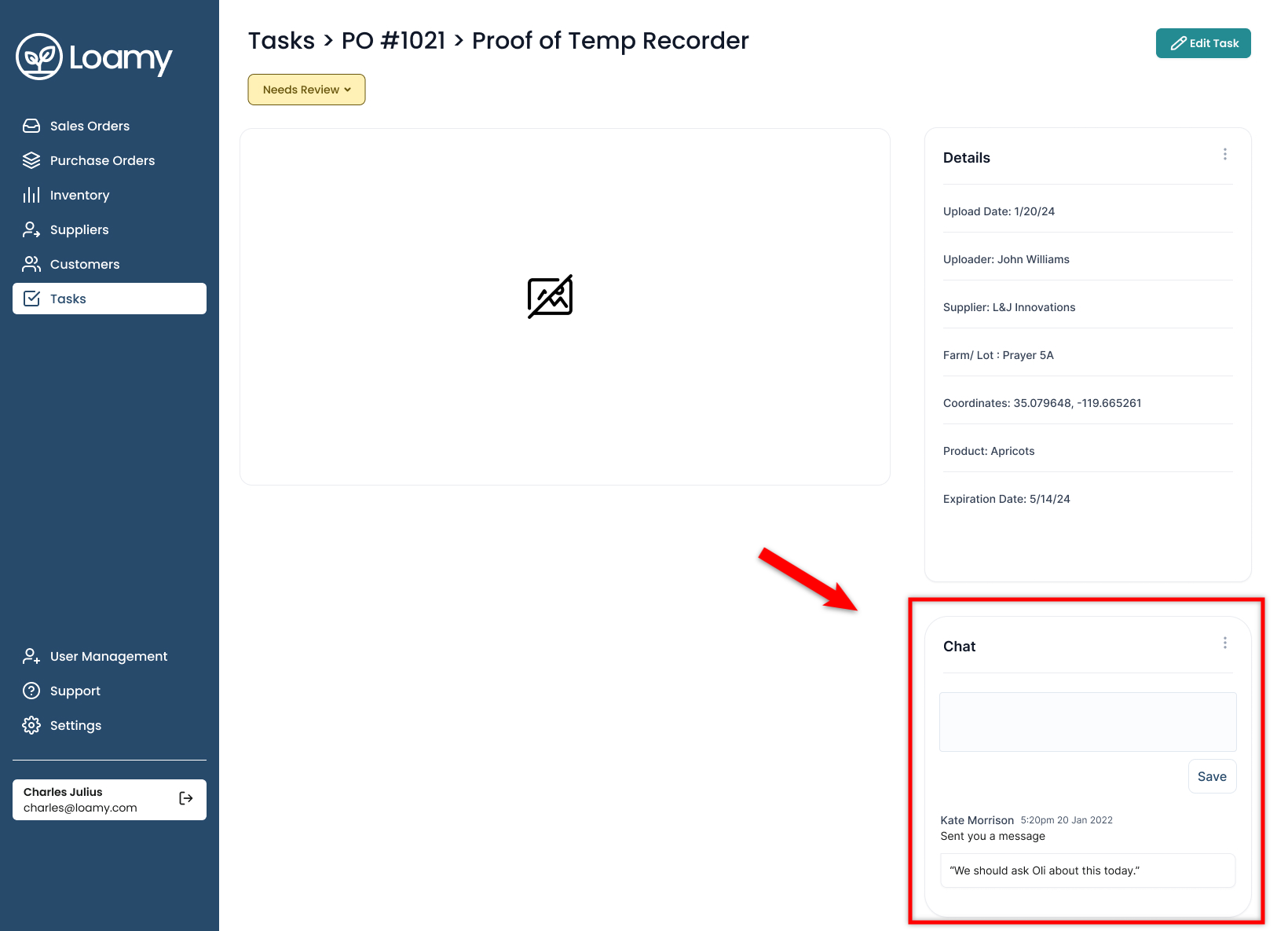
4. On the right-hand side of the page you'll see a Chat window. Type in your message and hit Save. The company assigned to the task will see the message and can easily reply through the chat window, ensuring all communication is in a single place.
Was this article helpful?
That’s Great!
Thank you for your feedback
Sorry! We couldn't be helpful
Thank you for your feedback
Feedback sent
We appreciate your effort and will try to fix the article