How to Assign a Supplier Requirement

Created by Jason Pesek, Modified on Fri, 29 May at 10:55 AM by Jason Pesek

1. Login to the Loamy Dashboard.

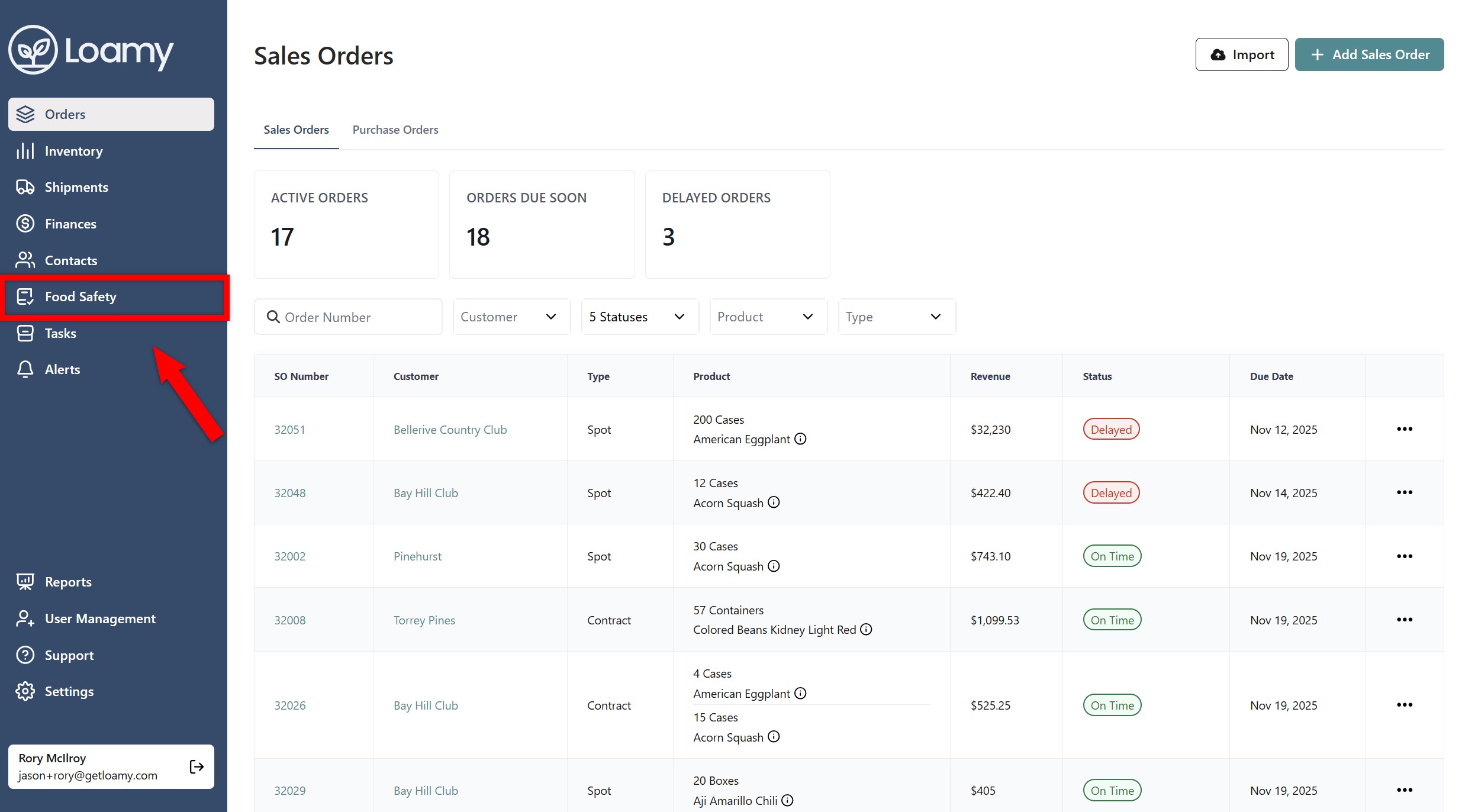
2. Go to the Food Safety page by selecting it on the left-hand navigation menu.


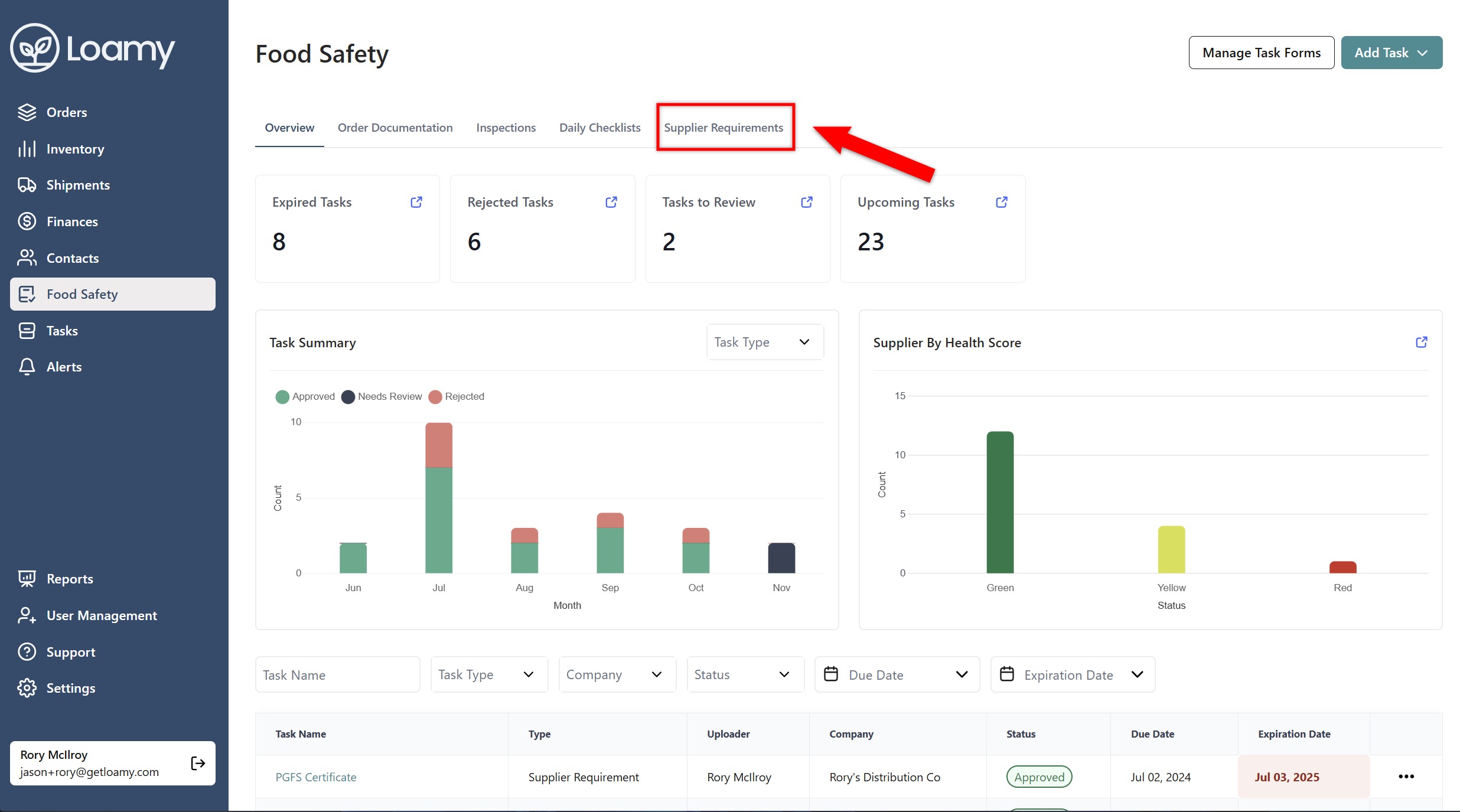
3. Select the Supplier Requirements tab.


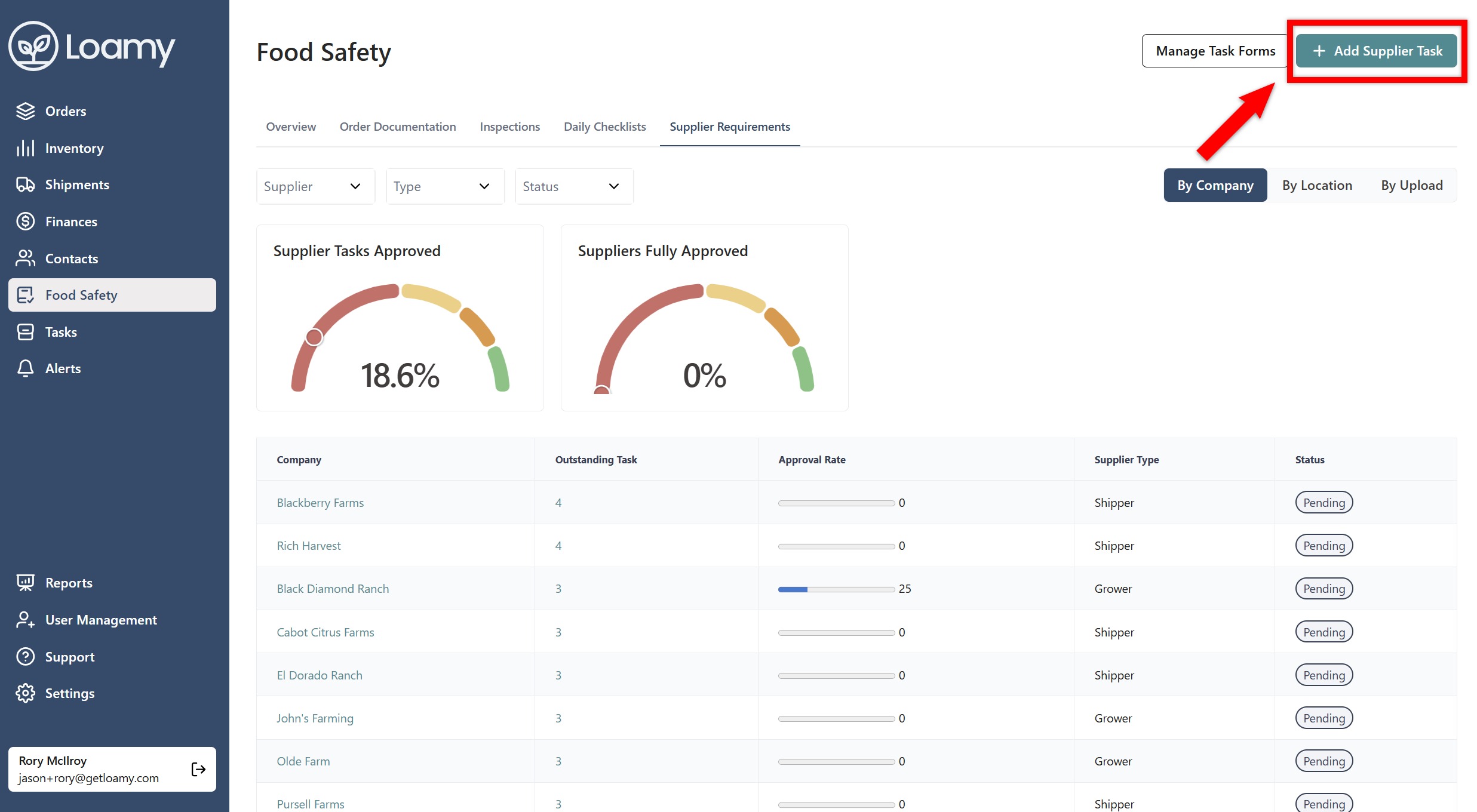
4. Select Add Supplier Task in the top right-hand corner.


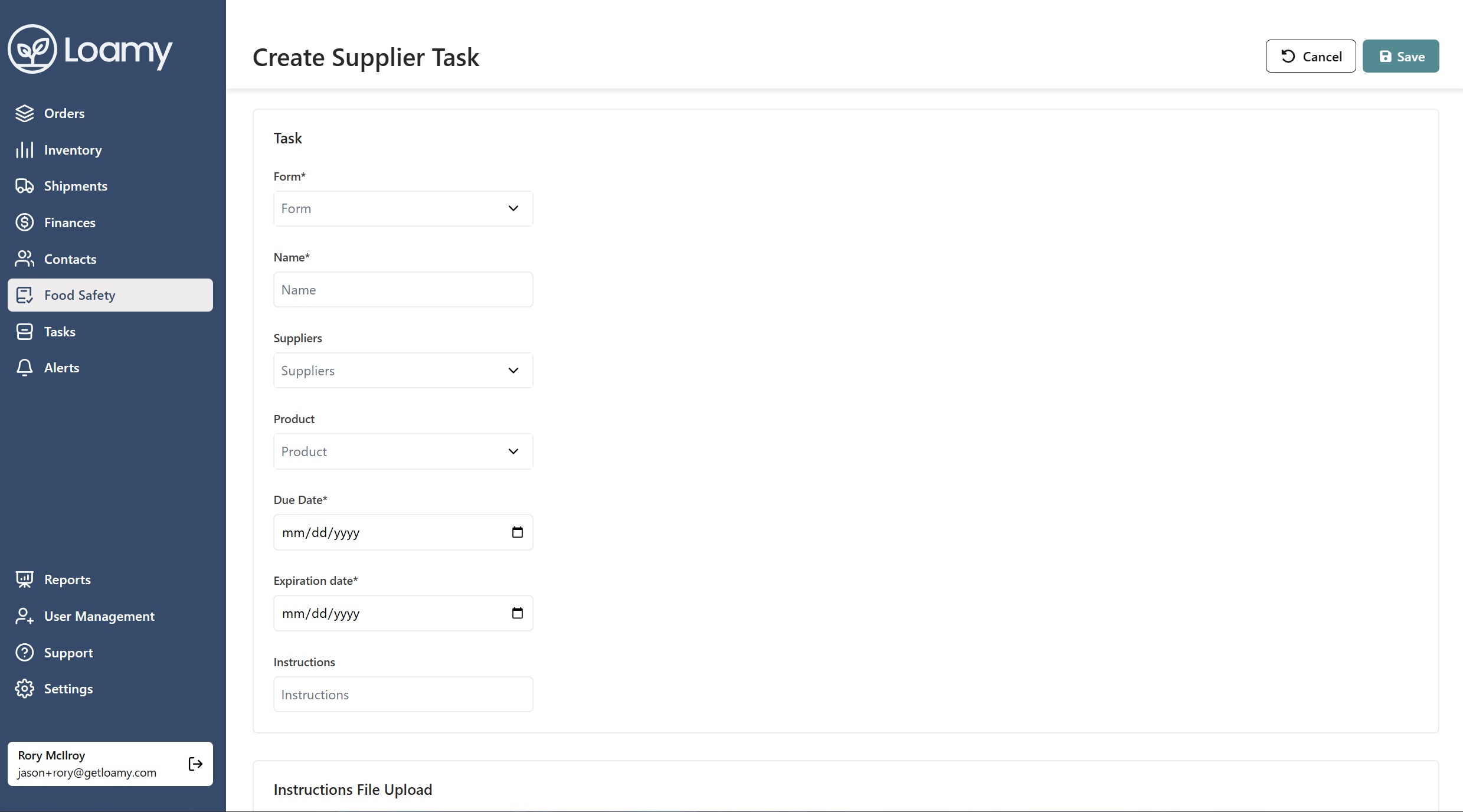
5. Select the form you want, the name for the requirement, and who you wish to assign it to. You can assign a location or product to the requirement by selecting that as well.

Screenshot 2025-11-19 143955.png


6. Hit Save.

Was this article helpful?

That’s Great!

Thank you for your feedback

Sorry! We couldn't be helpful

Thank you for your feedback

Let us know how can we improve this article!

Select at least one of the reasons
CAPTCHA verification is required.

Feedback sent

We appreciate your effort and will try to fix the article