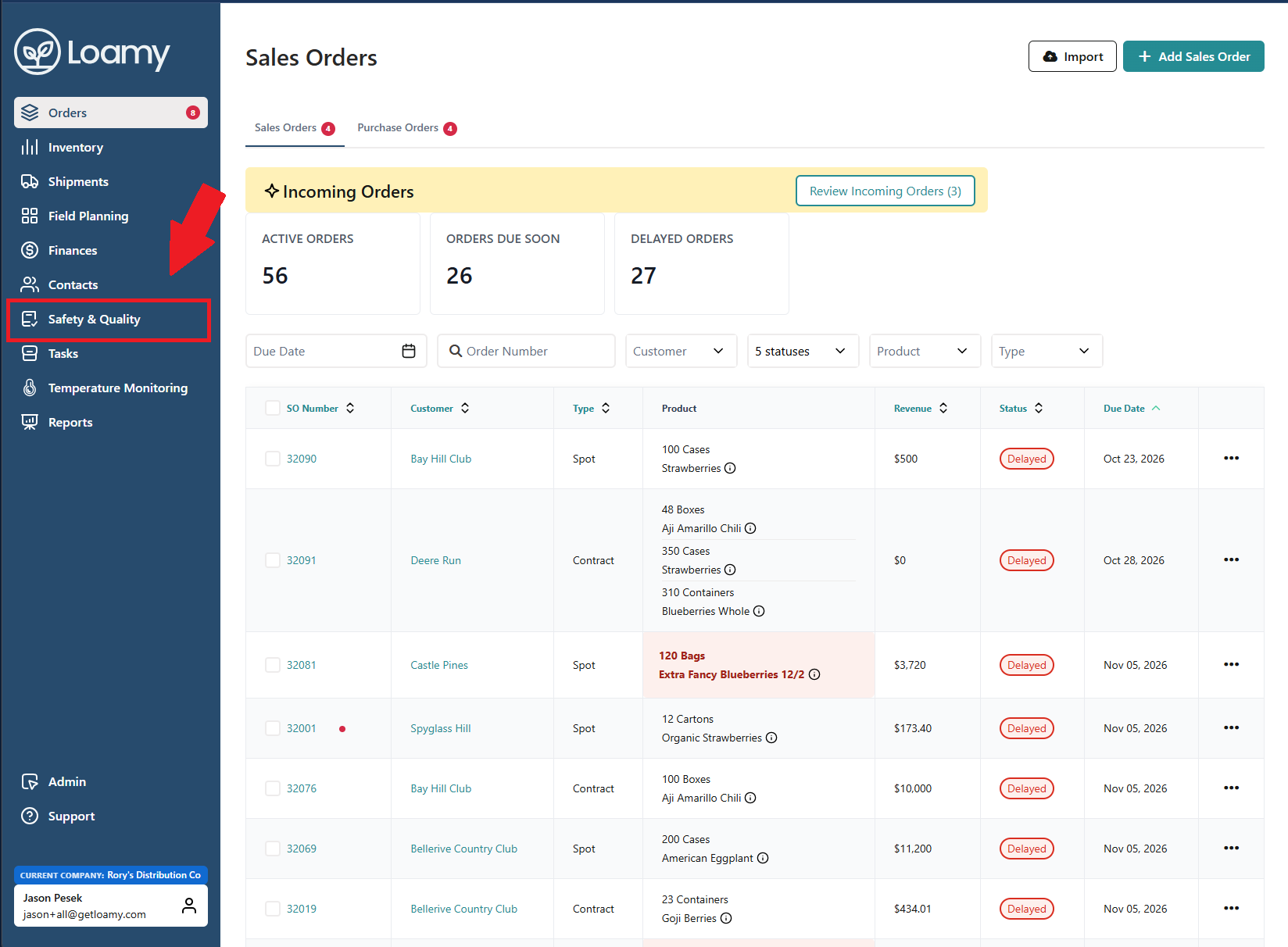
1. En el panel de control de Loamy, diríjase a Seguridad y calidad en el menú de navegación de la izquierda.
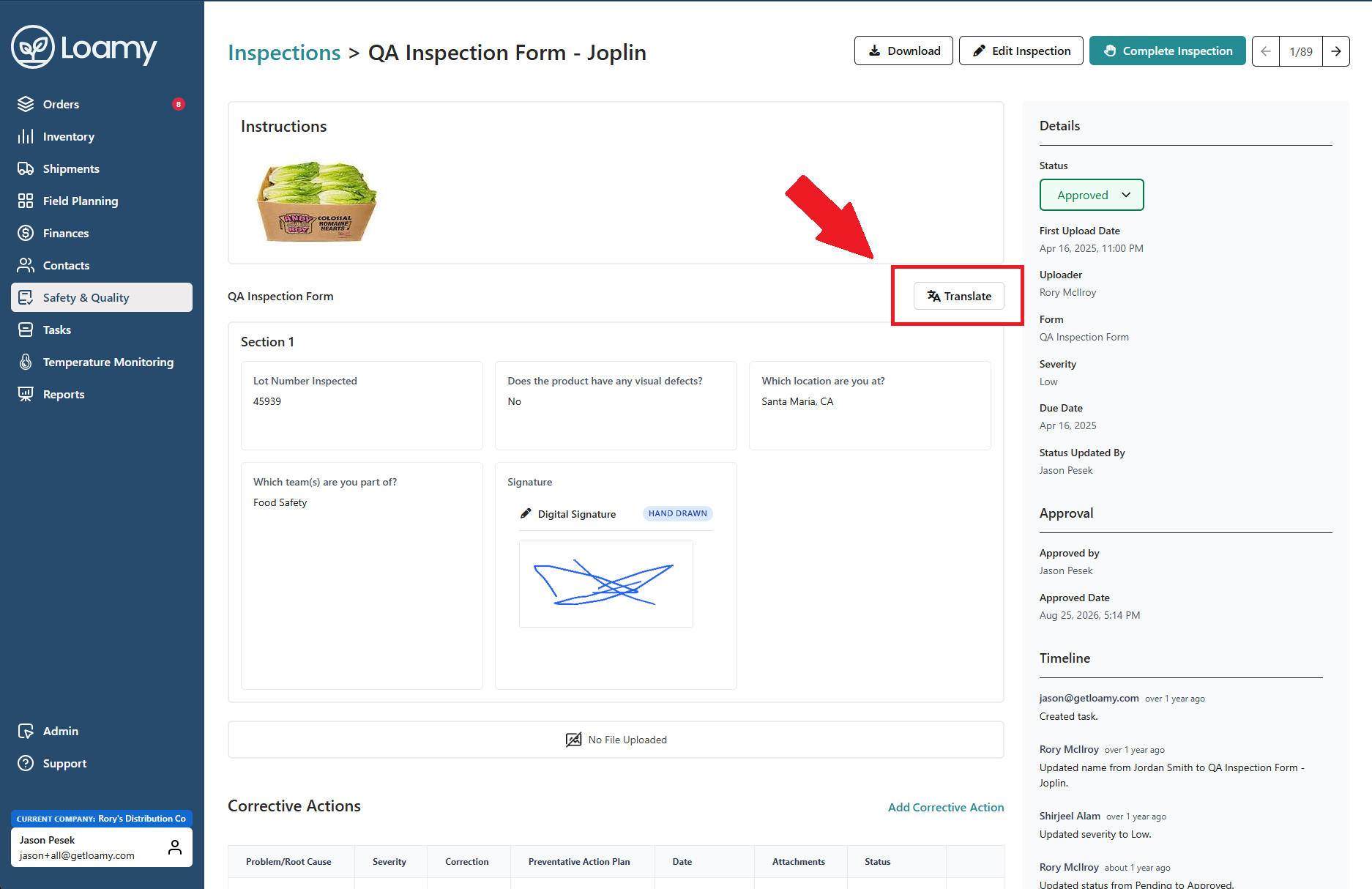
2. Seleccione un formulario completado. A continuación, haga clic en Traducir en la parte superior derecha.
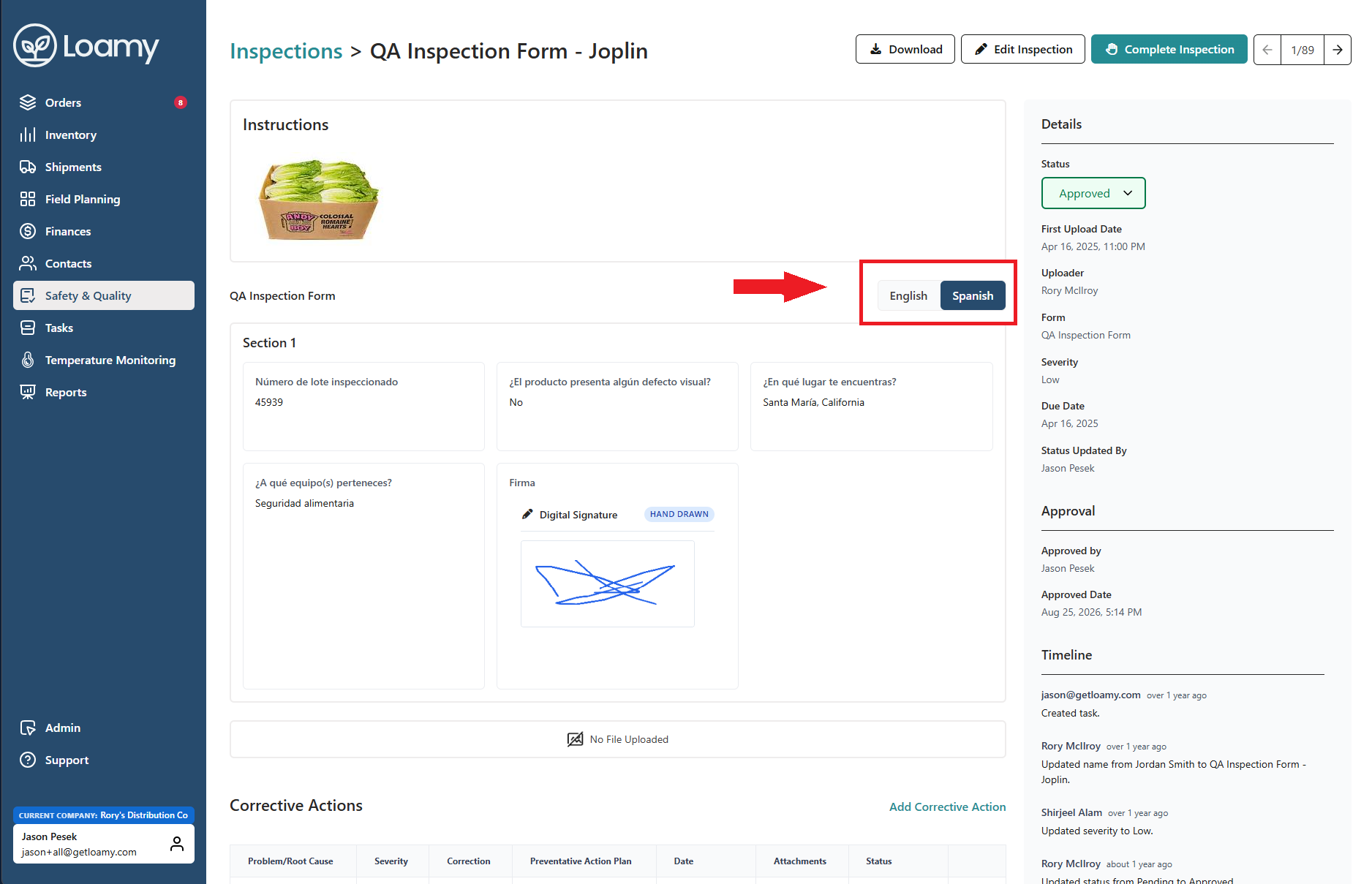
3. A continuación, puede alternar entre las pestañas de inglés y español para ver el formulario traducido.
Was this article helpful?
That’s Great!
Thank you for your feedback
Sorry! We couldn't be helpful
Thank you for your feedback
Feedback sent
We appreciate your effort and will try to fix the article