1. Inicie sesión en el Panel de control de Loamy.
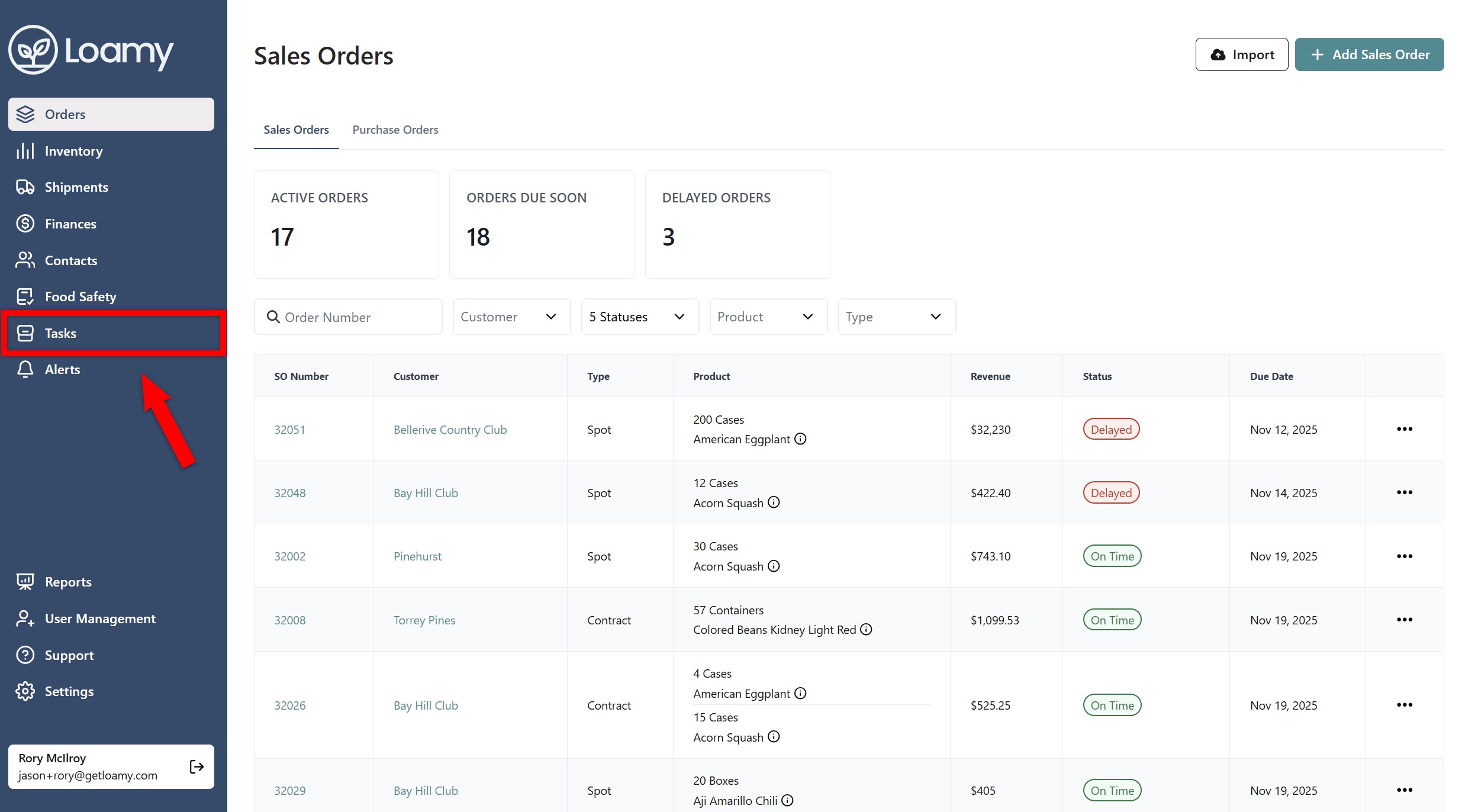
2. Vaya a la página Tareas seleccionándola en el menú de navegación de la izquierda.
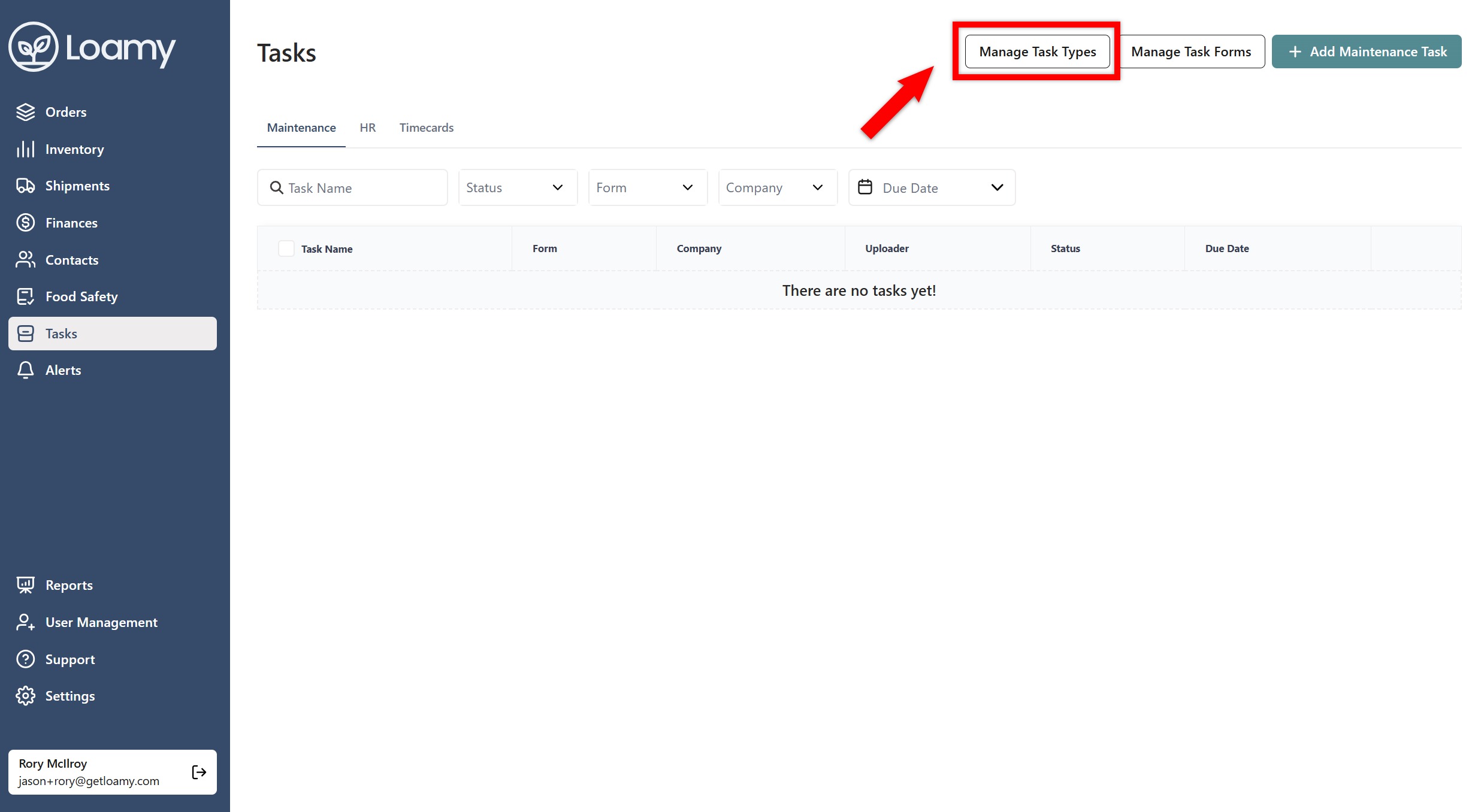
3. Seleccione Administrar tipos de tareas en la esquina superior derecha.
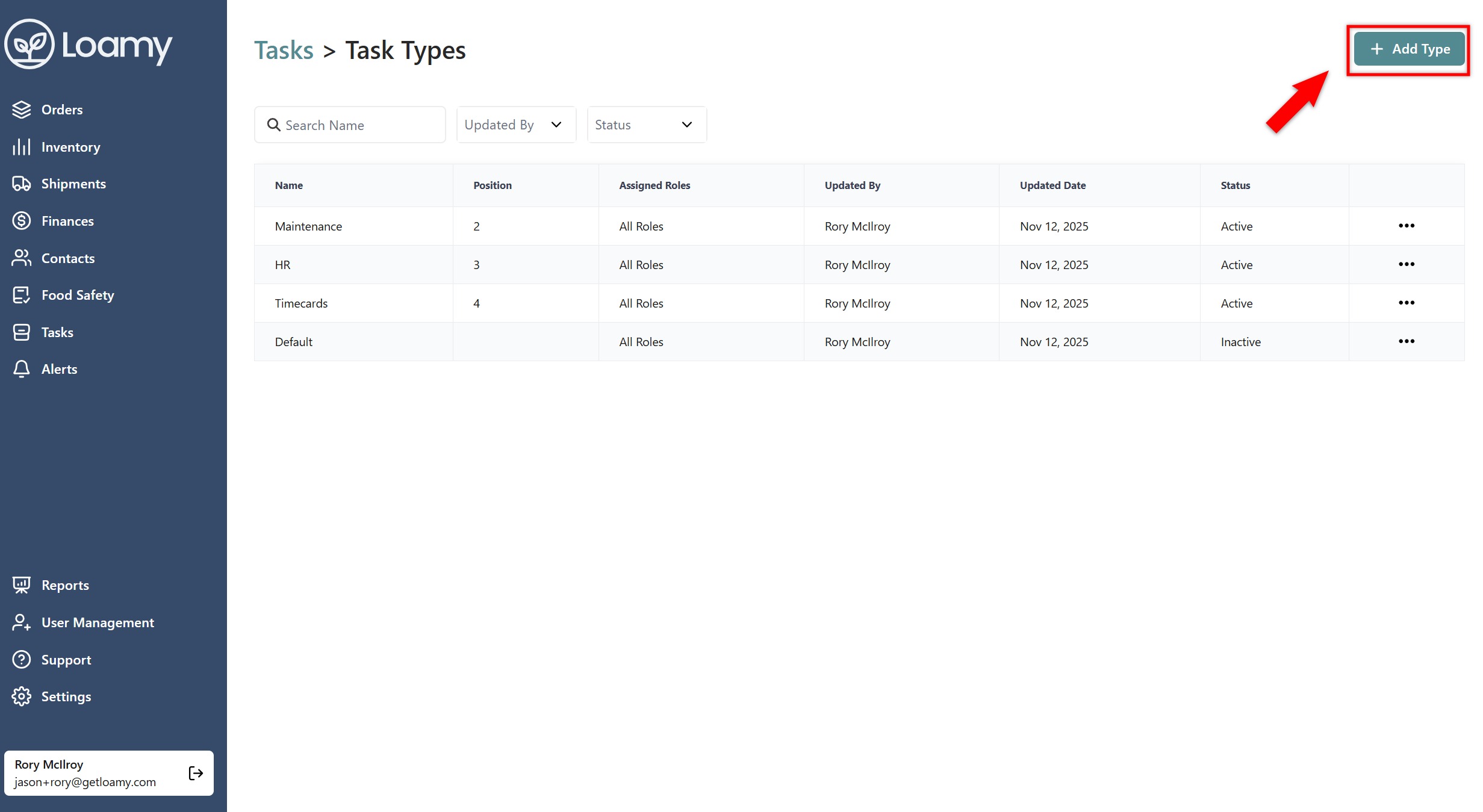
4. Pulse Agregar tipo.
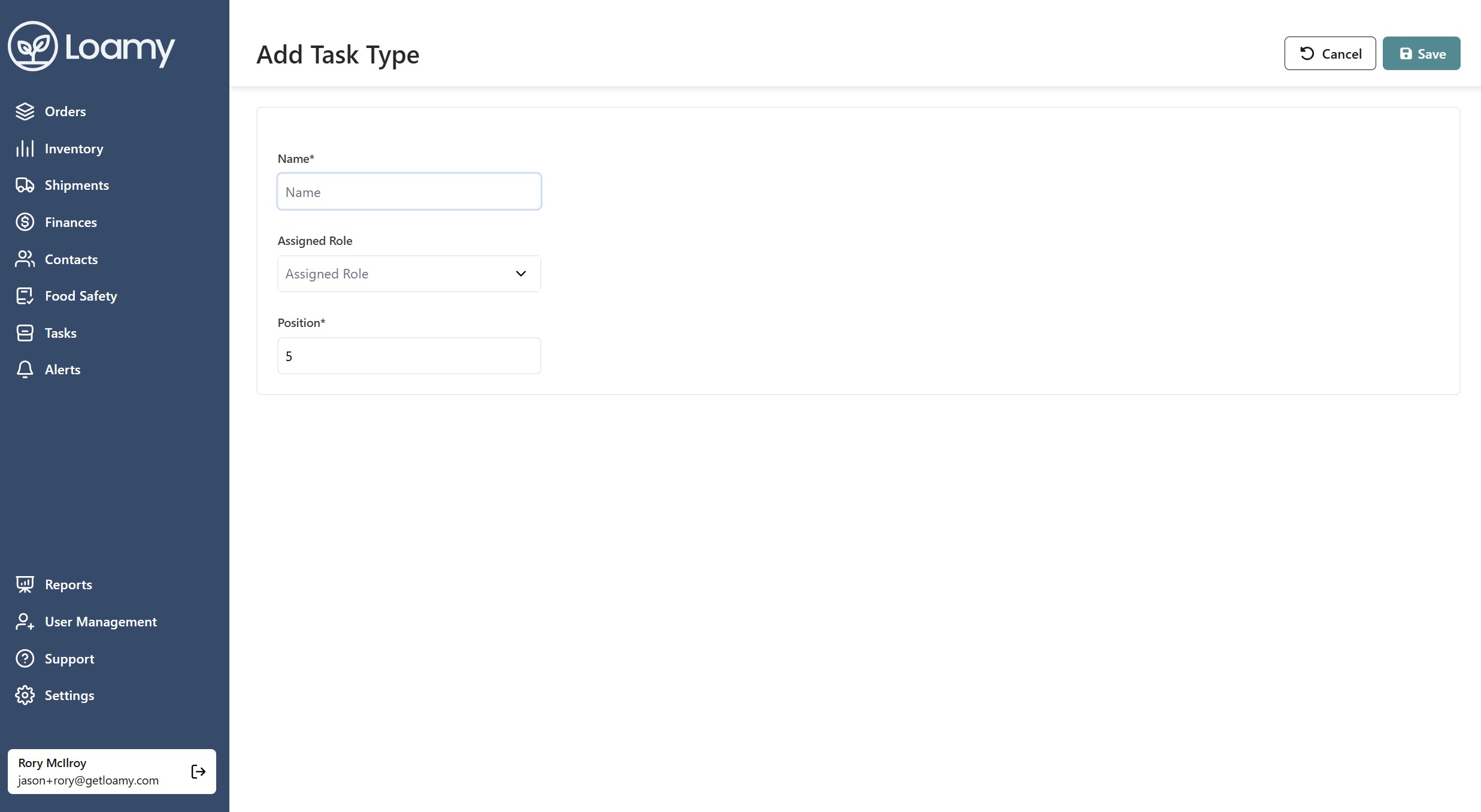
5. Introduzca el nombre y el cargo. También puede asignar roles específicos al tipo de tarea para que solo determinadas personas puedan ver la pestaña y crear esas tareas. Seleccione Guardar.
Was this article helpful?
That’s Great!
Thank you for your feedback
Sorry! We couldn't be helpful
Thank you for your feedback
Feedback sent
We appreciate your effort and will try to fix the article